
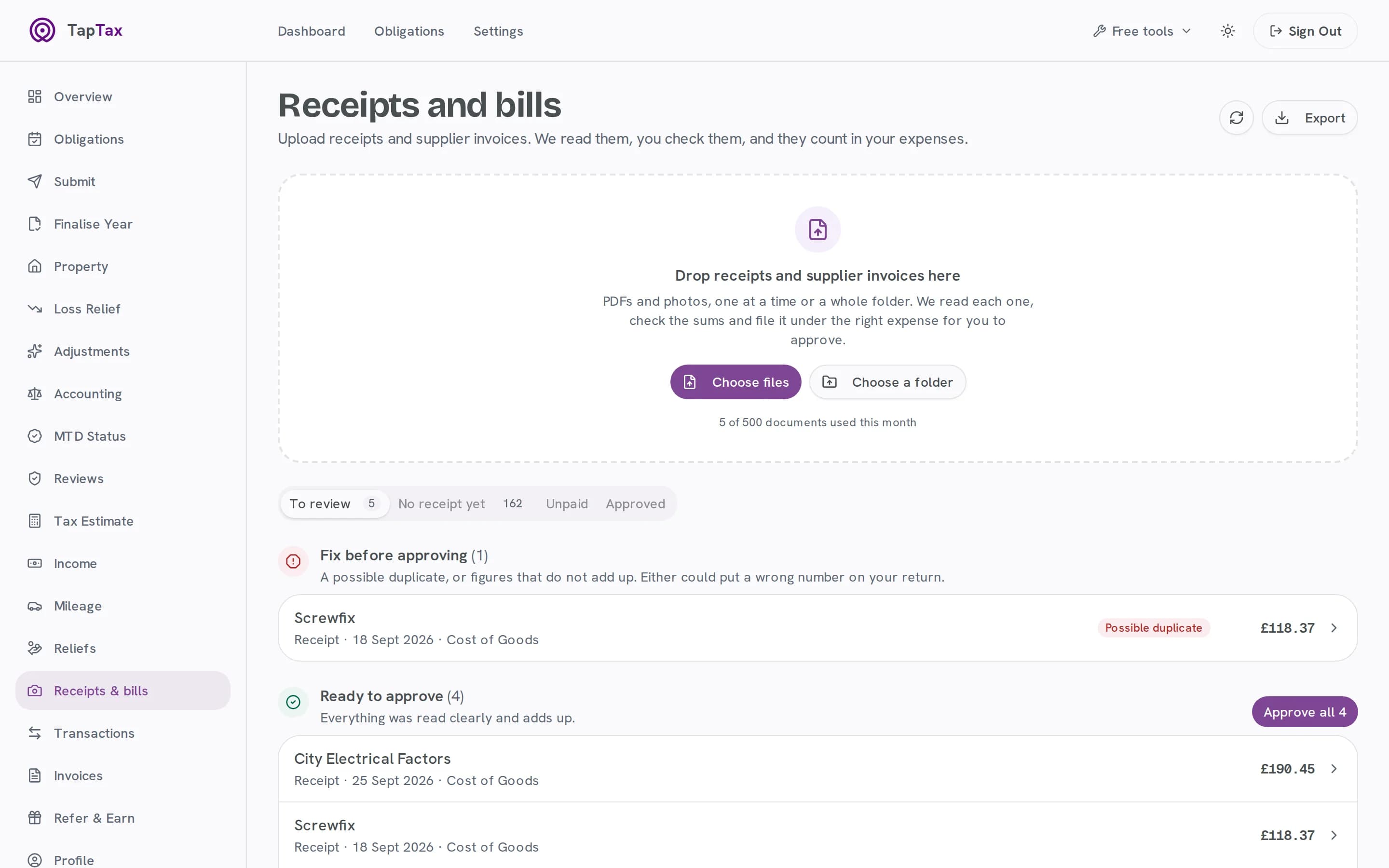
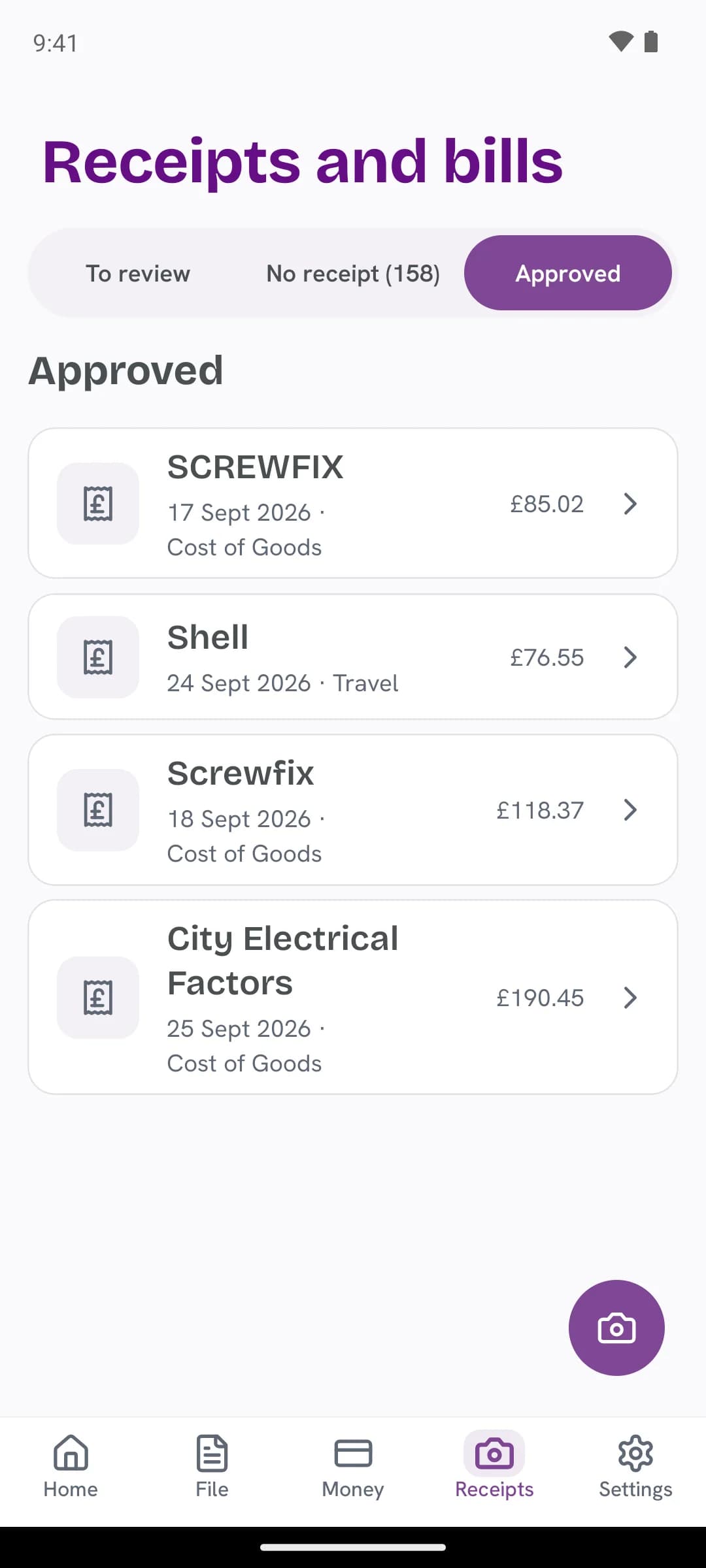
- MTD-compatible
- Bank-level encrypted
- Files straight to HMRC
- Built for quarterly updates
- to keep your business records
- 5 yearsto keep your business recordsAt least, after the 31 January deadline of the tax year they belong to. TapTax keeps the original with what it read.
- checks on every document
- 3checks on every documentThe sums add up, the VAT is a UK rate, and it is not one you already have.
- scans a month on Pro
- 500scans a month on Pro5 on the free plan and 50 on Starter.
02The walkthrough / 0:46
Watch it, start to finish.
A supplier invoice dropped in on the live app, read, checked and approved, then matched to its payment on the bank statement.
What happens in the film
- Title: snap it once. Read, checked, counted.
- Snap or drop: a supplier invoice PDF is dropped in.
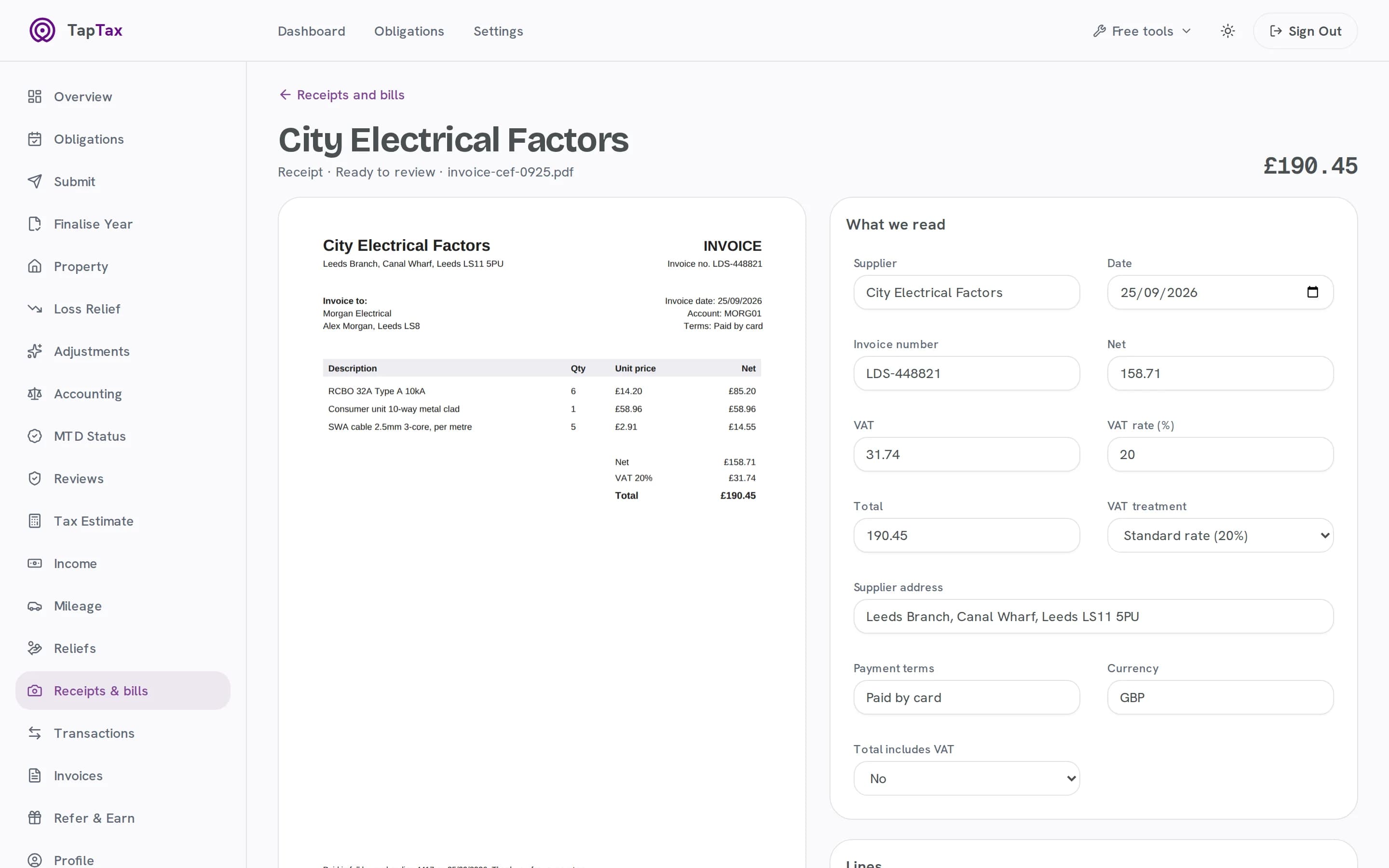
- Read in seconds: supplier, invoice number, date, net £109.92, VAT £21.98 and total £131.90, each field with how sure TapTax is.
- Checked for you: the sums add up, the VAT is a UK rate, and every line is read.
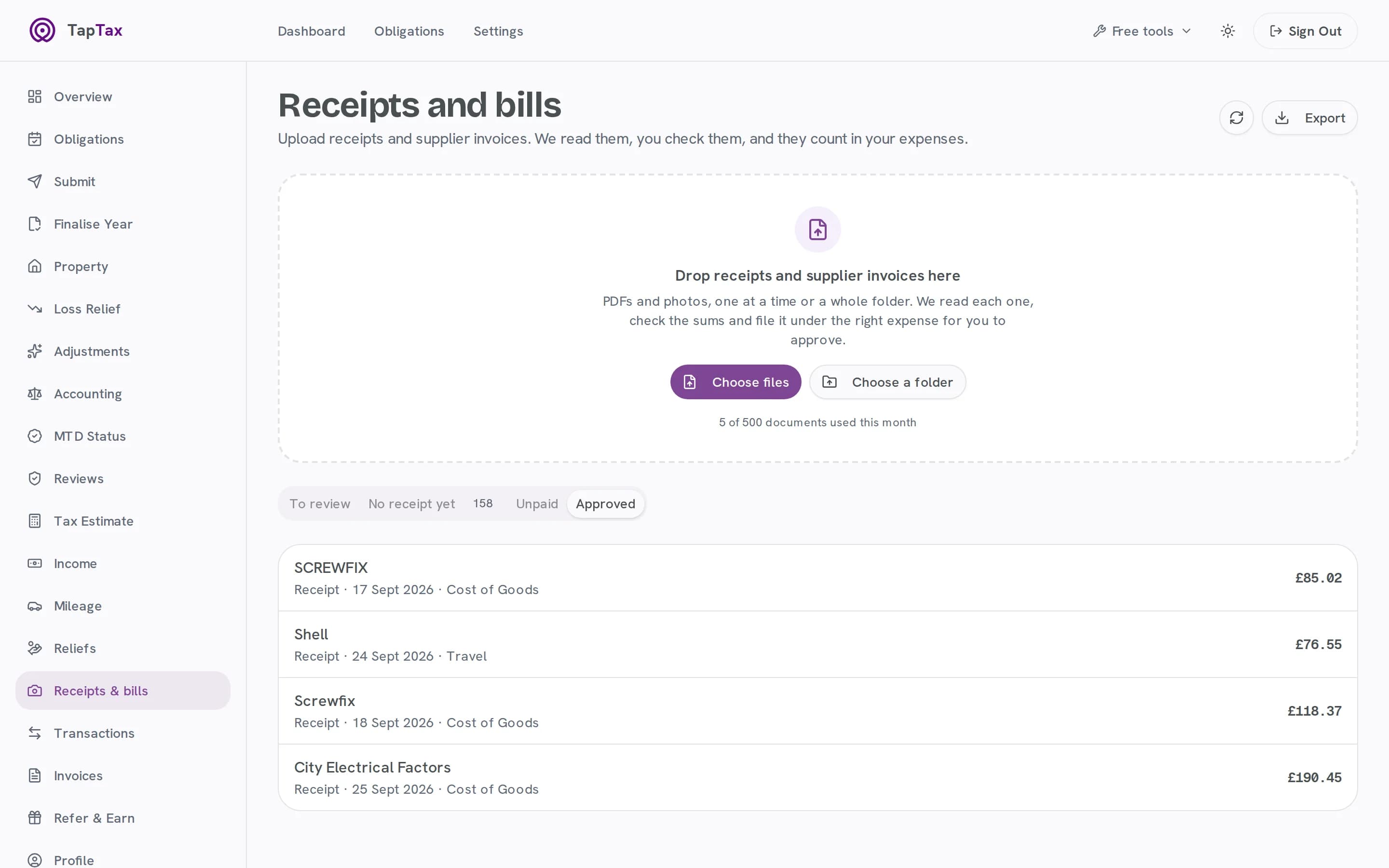
- Approve, and it counts: approved as Cost of Goods and matched to the payment on the bank statement.
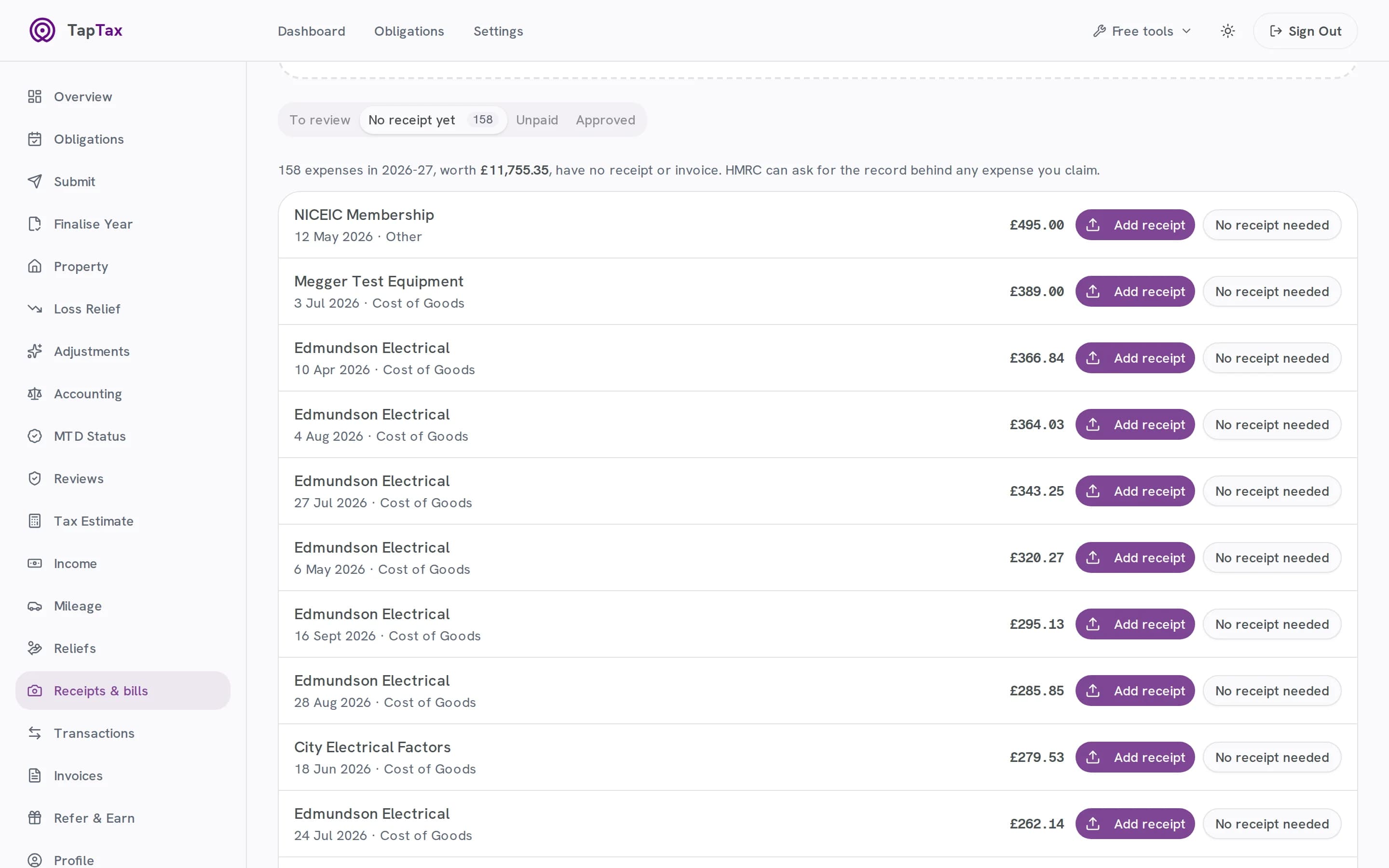
- Paired with your bank: the payments still waiting for a receipt.
- Start free at taptax.co.uk. Free to start, no card needed.
03How it works
From a photo to your quarter, without typing.
Every receipt and bill takes the same short path, and you only look closely at what TapTax is unsure of.
01 / Capture
Snap or drop
Take a photo on your phone, or drop PDFs and photos on the web, one at a time or a whole folder.
- Photos and PDFs, including multi-page ones
- One file or a whole folder at once
- Phone camera or web upload
02 / Read
Read in seconds, doubts flagged
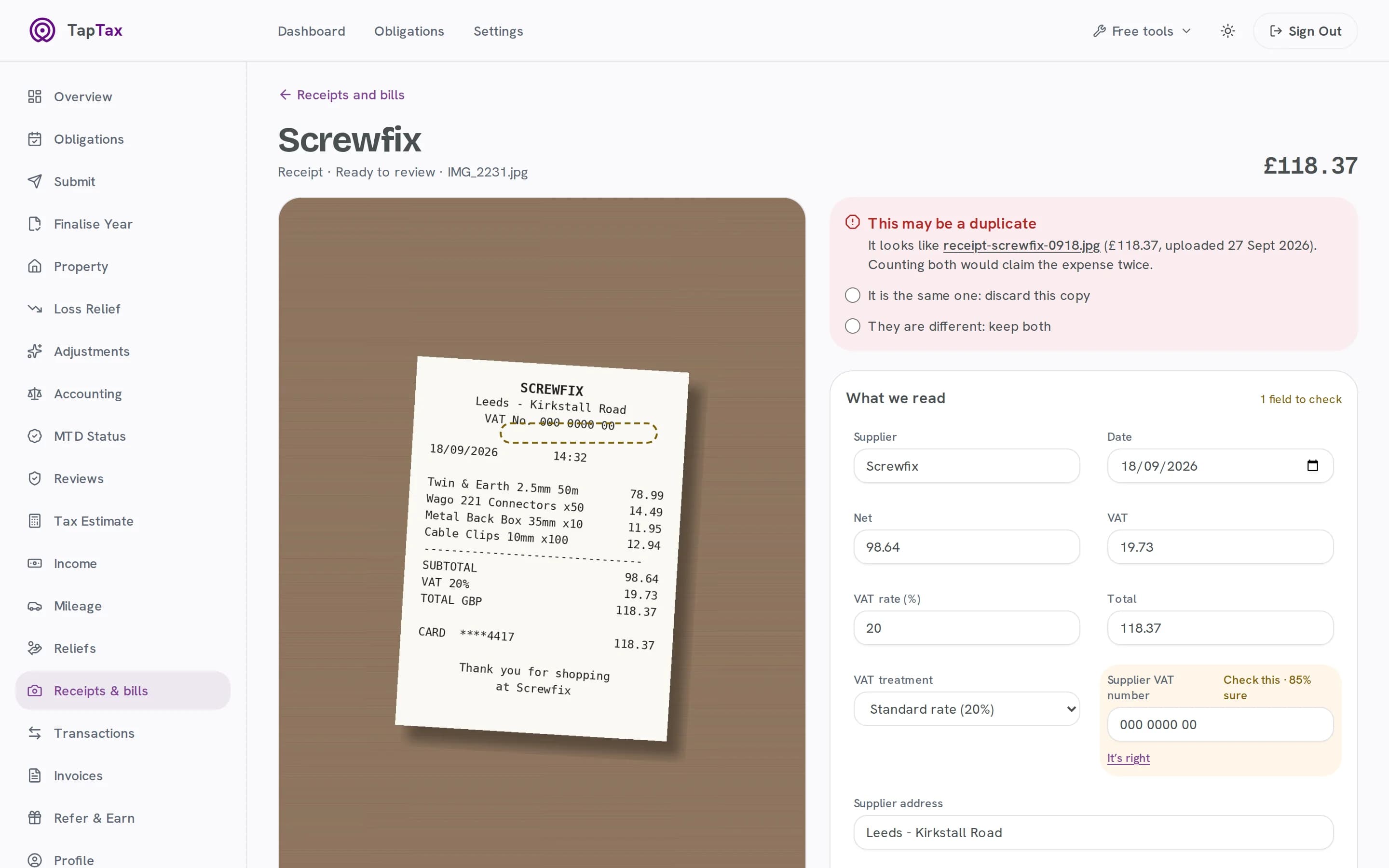
Supplier, date, net, VAT, total and every line, read for you. Anything TapTax is unsure of is flagged with how sure it is, and outlined on the original.
- Supplier, date, net, VAT and total
- The supplier's VAT number checked with HMRC
- Clear, Check or Unsure on every field
03 / Check
Checked for you
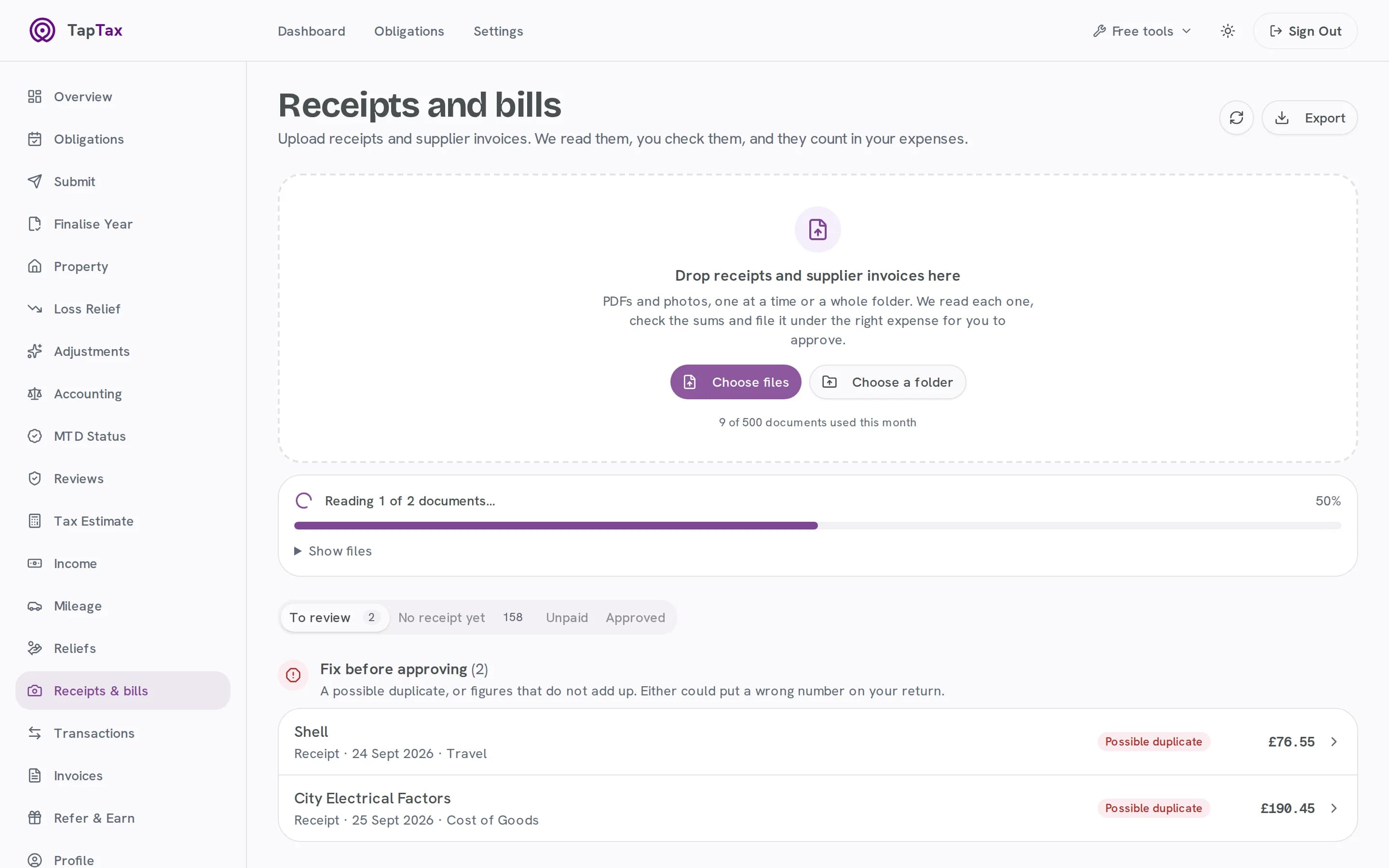
The sums must add up, the VAT rate must be a UK rate and a duplicate is spotted before it counts twice.
- Net plus VAT must make the total
- VAT at a UK rate
- Duplicates stopped before they count
04 / Match
Paired with your bank
Each document is paired with its payment on your bank statement, so one purchase is one expense, and TapTax lists the payments still waiting for a receipt.
- Each document meets its bank payment
- One purchase, one expense
- Payments still missing a receipt, listed
05 / Approve
Approve, and it counts
Approve one, or approve all the clear ones at once. They land in your expenses under the right HMRC category.
- Approve one, or every clear one at once
- Filed under its HMRC category
- Counted in your quarter once approved
04What it reads
Every field, and how sure it is.
TapTax reads the same fields from a till receipt, a supplier invoice or a multi-page PDF, and marks each one Clear, Check or Unsure so you know exactly where to look.
- Supplier
- Who you paid, with their address and company number when the document shows them.
- Invoice number and dates
- The number, the date and the due date, plus any PO reference.
- Net, VAT and total
- Read separately, then checked against each other: net plus VAT must make the total.
- VAT treatment
- Standard, reduced, zero-rated, exempt, domestic reverse charge or outside the scope.
- Supplier VAT number
- Checked with HMRC, so you know whether HMRC knows the number.
- CIS deduction
- Read from construction subcontractor invoices, where one is taken.
- Payment details
- Payment terms, the payment reference and the supplier's bank details.
- A confidence for each
- Clear, Check or Unsure on every field, and the doubtful ones outlined on the original.
05Before and after
The same job, without the admin.
| The job | On your own | With TapTax |
|---|---|---|
| Keeping it | Keeping itA shoebox or a folder of photos | The original, stored with what was read |
| Typing it up | Typing it upEvery figure keyed in by hand | Read for you, with the doubts flagged |
| Mistakes | MistakesFound at the year end, if at all | Sums, VAT and duplicates checked on the way in |
| Your bank | Your bankTicked off against a statement | Paired with its bank payment |
| Your accountant | Your accountantPhotos sent in a batch | A CSV for Xero, QuickBooks or any spreadsheet |
06What's included
Everything in receipts & bills
Every plan
Phone and web
Capture on the go; review at your desk. Everything stays in step.
Every plan
A confidence for every field
Clear, Check or Unsure, so review takes seconds, not minutes.
Every plan
Sums and VAT checked
Net plus VAT must make the total, at a UK rate.
Every plan
Duplicates caught
The same receipt twice is flagged before it counts.
Every plan
Export for your accountant
CSV for Xero, QuickBooks or any spreadsheet.
Starter and above
5 scans a month free
50 a month on Starter, 500 on Pro.
Free to start; Starter is £4.99 a month and Pro £9.99. Compare plans.
07Built for
Made for the way you work.
Trades
Merchant receipts and supplier invoices from the van, photographed before they fade.
Consultants and freelancers
Software, subscriptions and supplier PDFs dropped in from your downloads folder.
Makers and sellers
Stock and materials invoices read line by line, with the VAT treatment named.
08Phone and web
In your pocket, and on your desk.
Photograph a receipt the moment you get it, and review it on your phone or at your desk. Both stay in step.
Receipts & bills: questions
What can it read?
Receipts and supplier invoices as photos or PDFs, including scans and multi-page PDFs.
Do I still need to keep the paper?
HMRC accepts digital records. TapTax keeps the image or PDF alongside what it read, so the record is complete.
What if it reads something wrong?
Anything TapTax is unsure of is flagged with how sure it is, the checks flag figures that do not add up, and you can correct any field before you approve.
How many can I scan?
5 a month on the free plan, 50 on Starter and 500 on Pro.
Does it check the supplier's VAT number?
Yes. When a document shows a VAT number, TapTax checks it with HMRC and tells you whether HMRC knows it.
How long do I need to keep receipts?
HMRC says at least 5 years after the 31 January submission deadline of the tax year they belong to. TapTax keeps the original image or PDF alongside what it read.
Start free, file when you are ready.
Connecting to HMRC, keeping records and one quarterly submission are free. No card needed.
Start freeFree tools and guides
Where these figures come from
The figures and rules on this page come from these published sources.