
- MTD-compatible
- Bank-level encrypted
- Files straight to HMRC
- Built for quarterly updates
- UK banks recognised automatically
- 16UK banks recognised automaticallyBarclays, HSBC, Lloyds, NatWest, Monzo, Starling, Revolut, Tide and more, with columns matched for anything else.
- a business mile in 2026/27
- 55pa business mile in 2026/27For the first 10,000 miles in a car or van, then 25p. TapTax applies the rate for the year of each trip.
- to keep your business records
- 5 yearsto keep your business recordsAt least, after the 31 January deadline of the tax year they belong to.
02The walkthrough / 1:03
Watch it, start to finish.
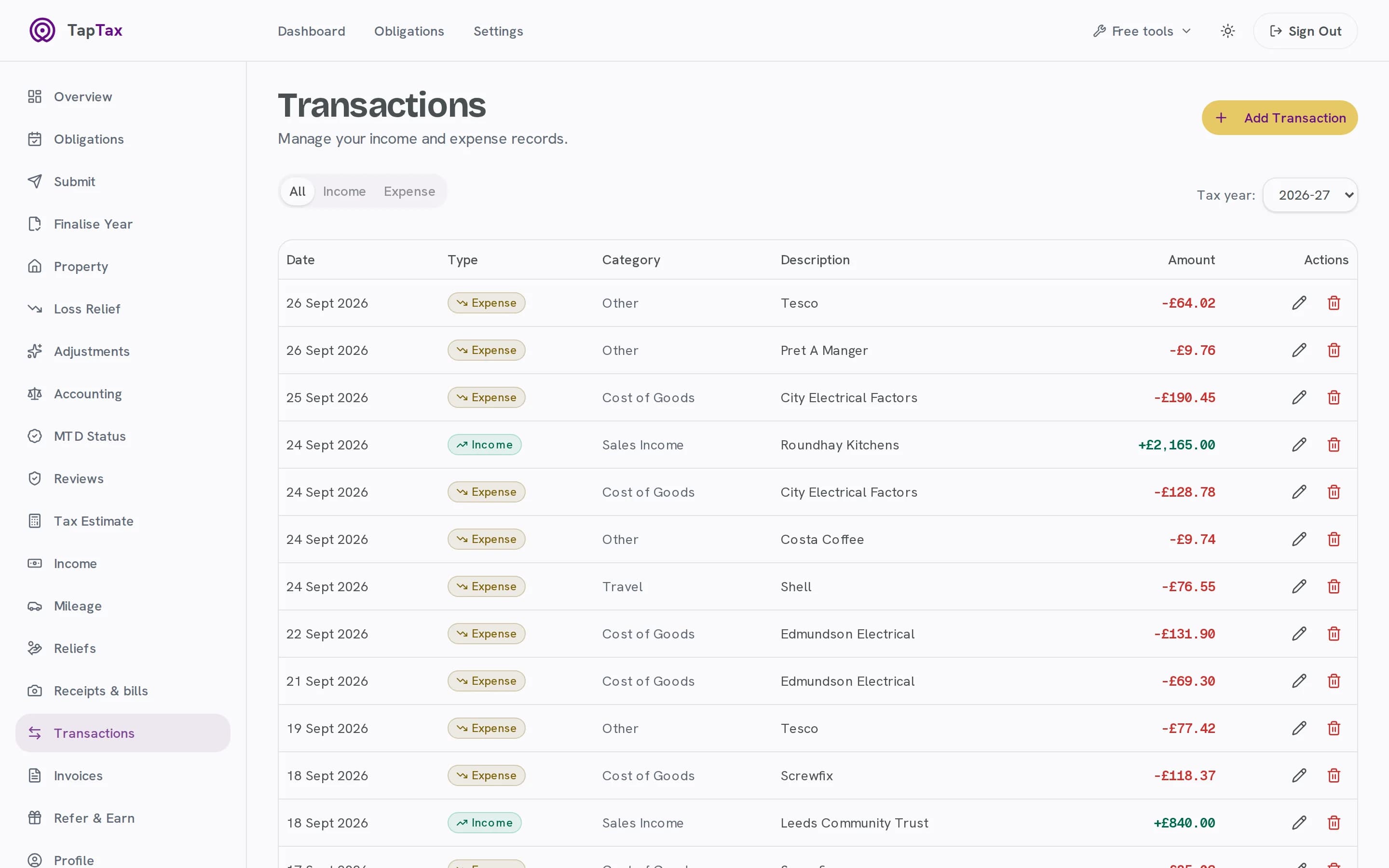
A bank statement imported on the live app: columns matched, rows already in TapTax skipped, every new row sorted, and a business trip logged.
What happens in the film
- Title: bank statement in. Every transaction sorted.
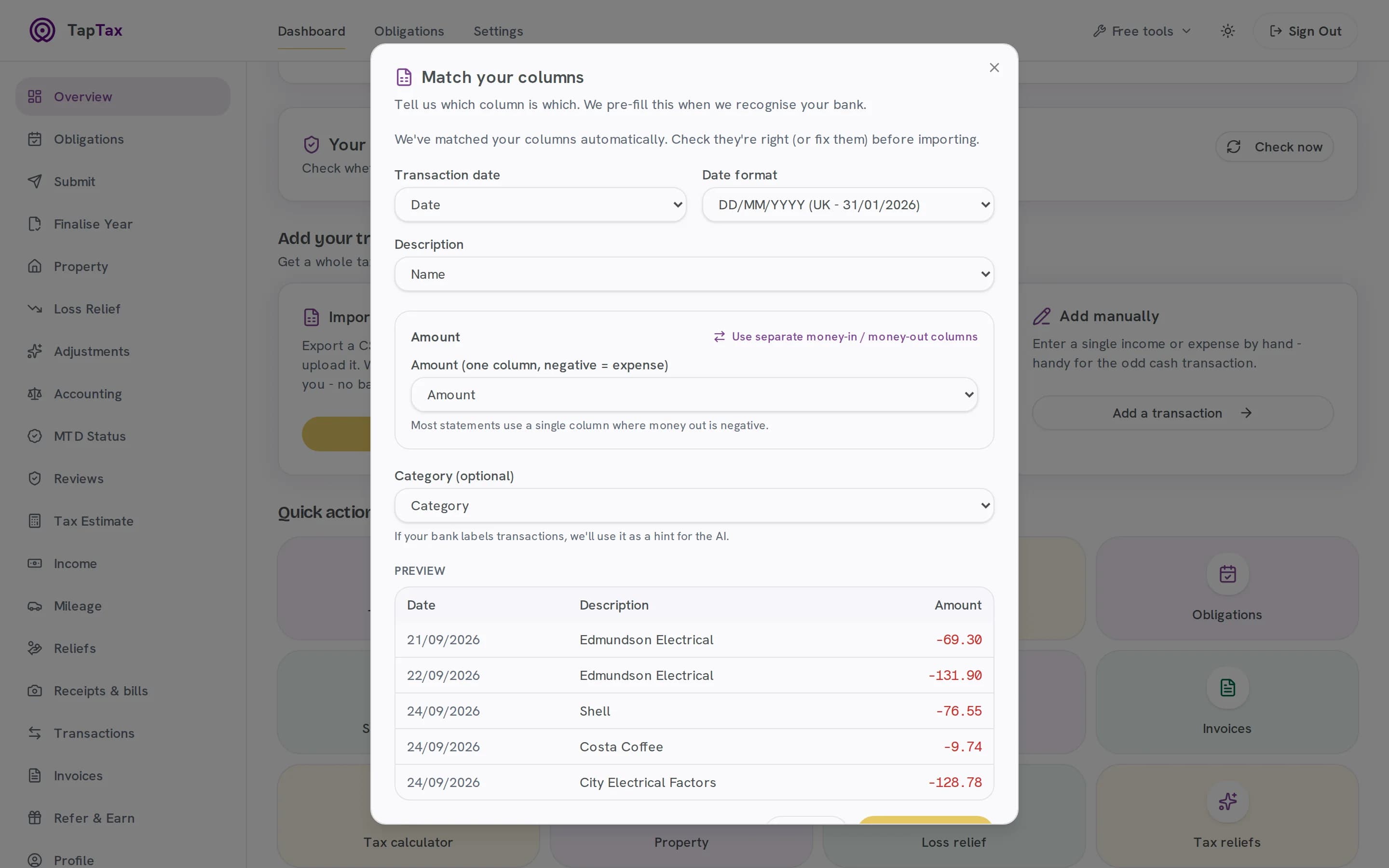
- Import a statement: a Monzo CSV is uploaded and its columns are matched for you, UK dates and all.
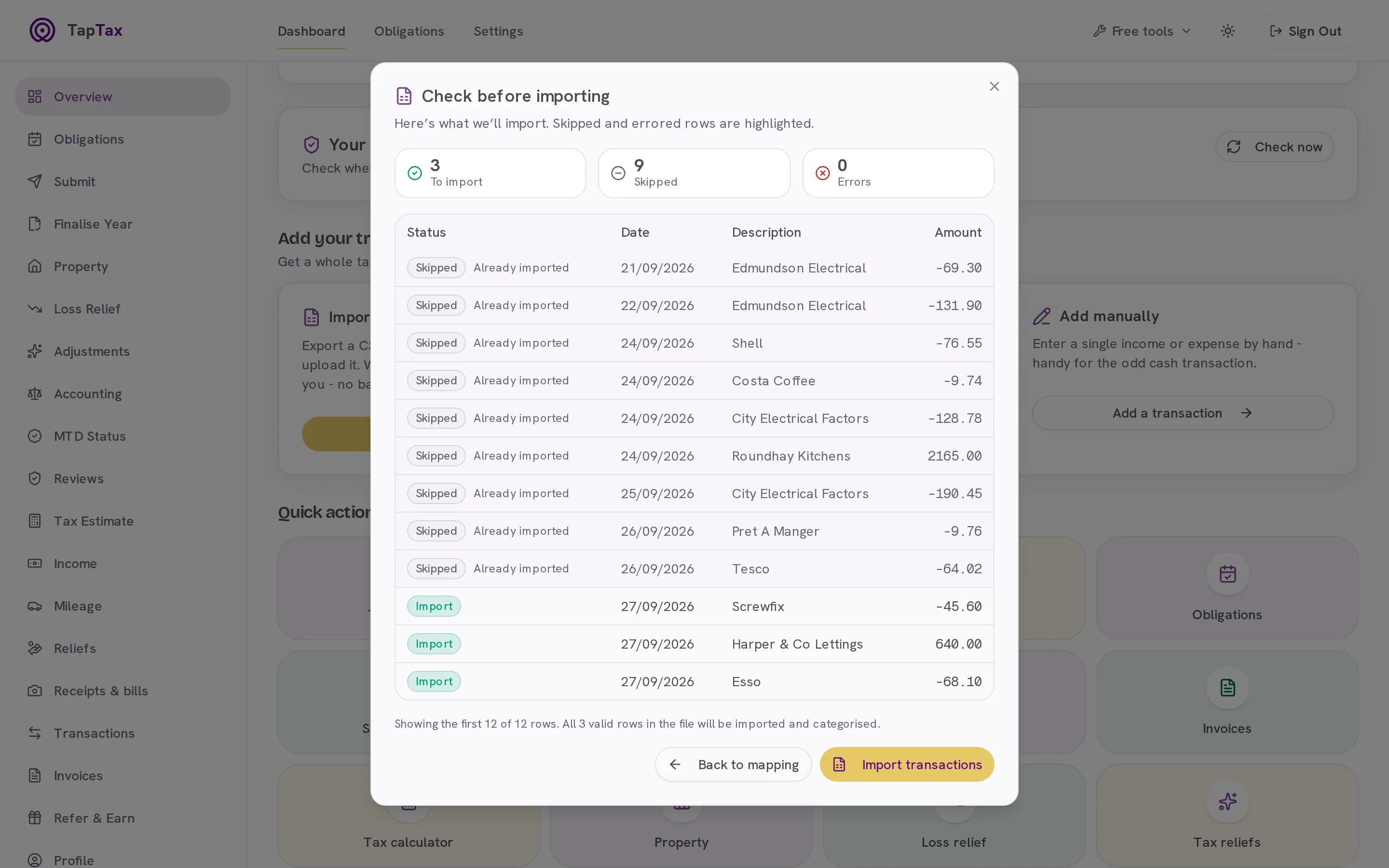
- Check before it lands: 3 new rows to import, and 9 already in TapTax skipped, so nothing counts twice.
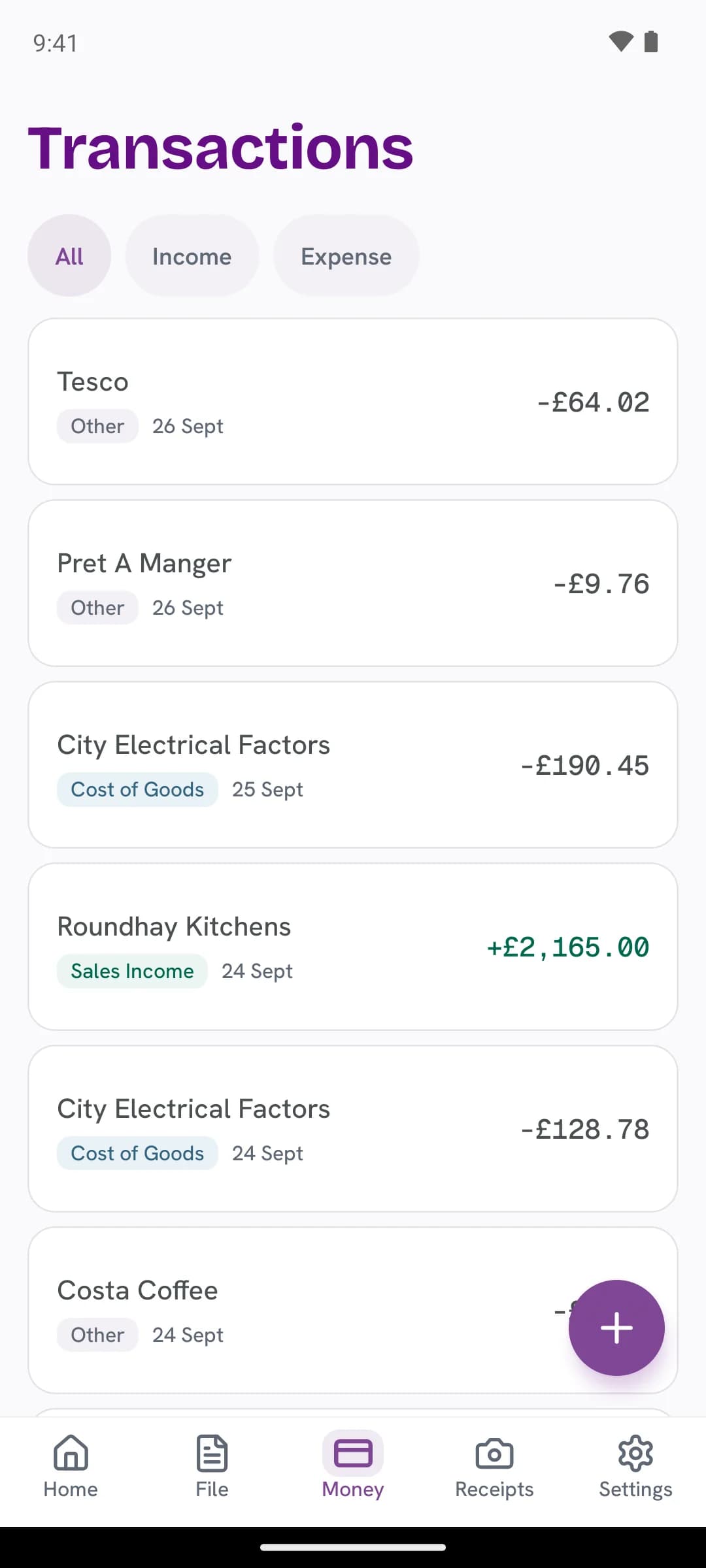
- Sorted into HMRC categories: the new rows are categorised as they land, £640.00 income and £113.70 expenses, then the full transaction list.
- Miles at HMRC rates: an 11-mile business trip from Roundhay, Leeds to Otley, logged at 55p a mile: £6.05.
- Start free at taptax.co.uk. Free to start, no card needed.
03How it works
From bank statement to sorted books, in minutes.
Bring months of records in at once, and let TapTax do the sorting you used to do in a spreadsheet.
01 / Import
Import a statement
Download a CSV from your bank and drop it in. Columns are matched for you, and overlapping statements never count twice.
- 16 UK banks recognised automatically
- Columns matched for anything else
- UK date formats understood
02 / Preview
Check before it lands
See every row TapTax will add, and any it will skip or cannot read, before anything is saved.
- Every row shown before it is saved
- Rows already in TapTax skipped
- Rows it cannot read, listed
03 / Sort
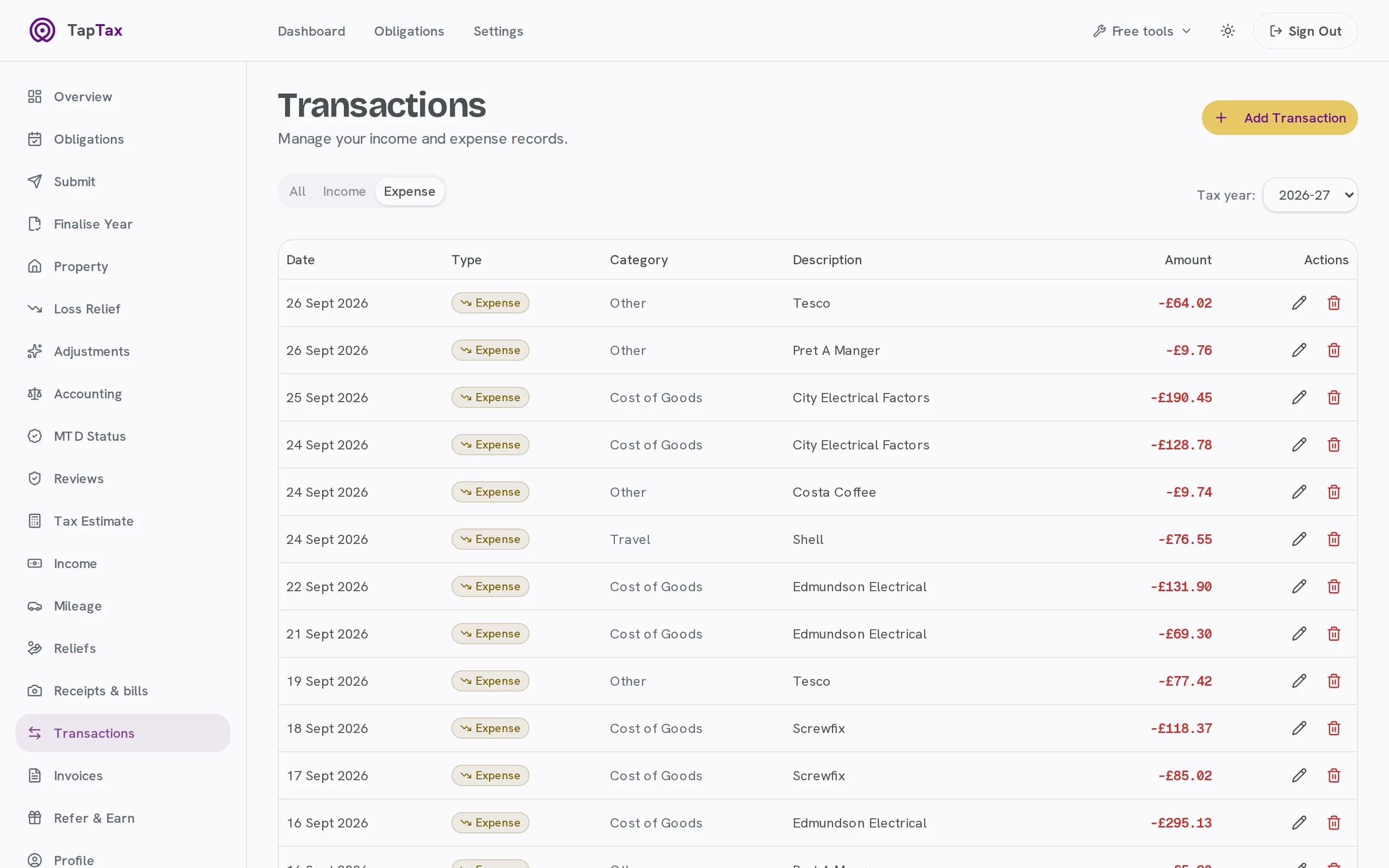
Sorted into HMRC categories
AI suggests the category for every transaction, the same boxes HMRC uses on your update.
- HMRC's expense categories
- Suggested for every transaction
- Change any one with a tap
Starter and above
04 / Review
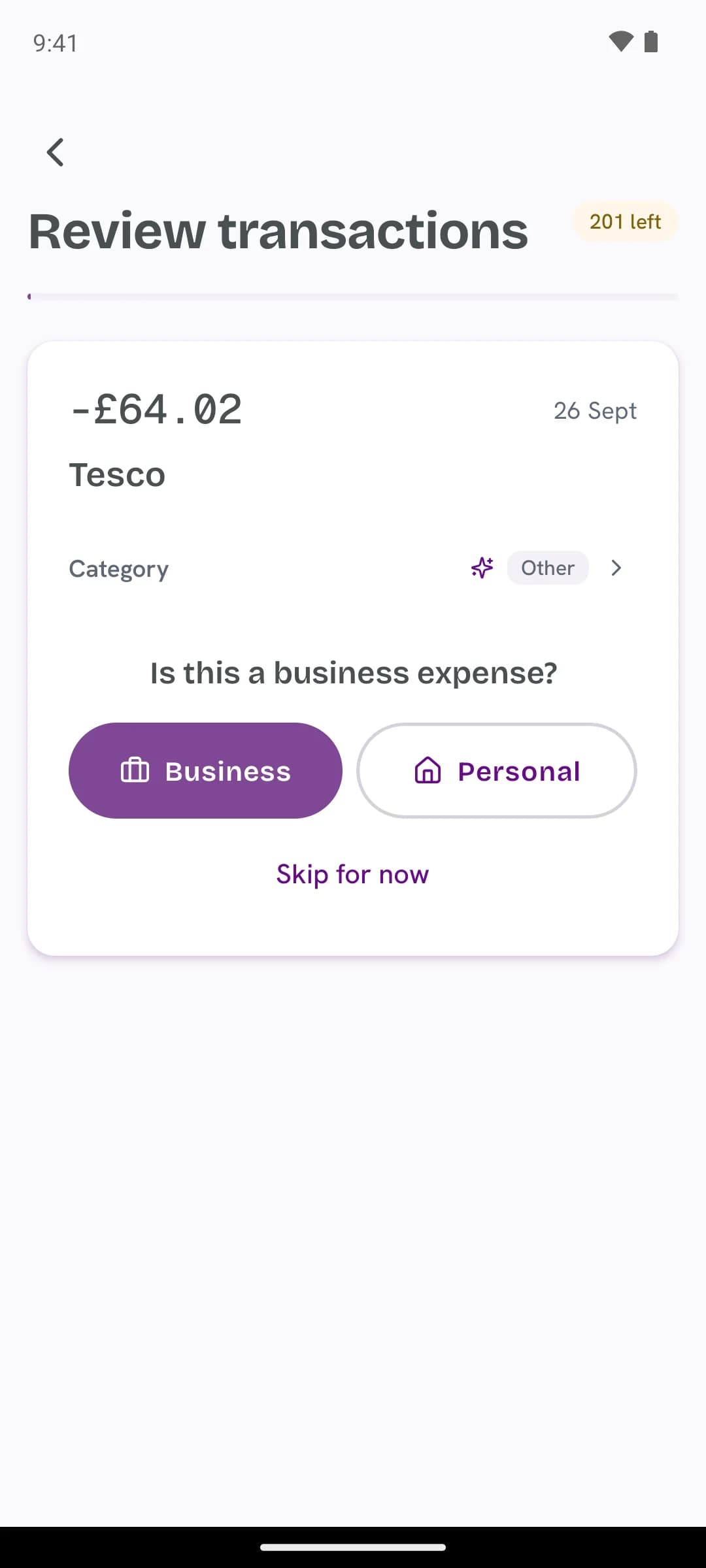
Business or personal, one tap
Confirm each one on your phone. Anything you mark personal stays out of your figures.
- One card at a time, on your phone
- Personal stays out of your figures
- Unreviewed ones count until you decide
05 / Mileage
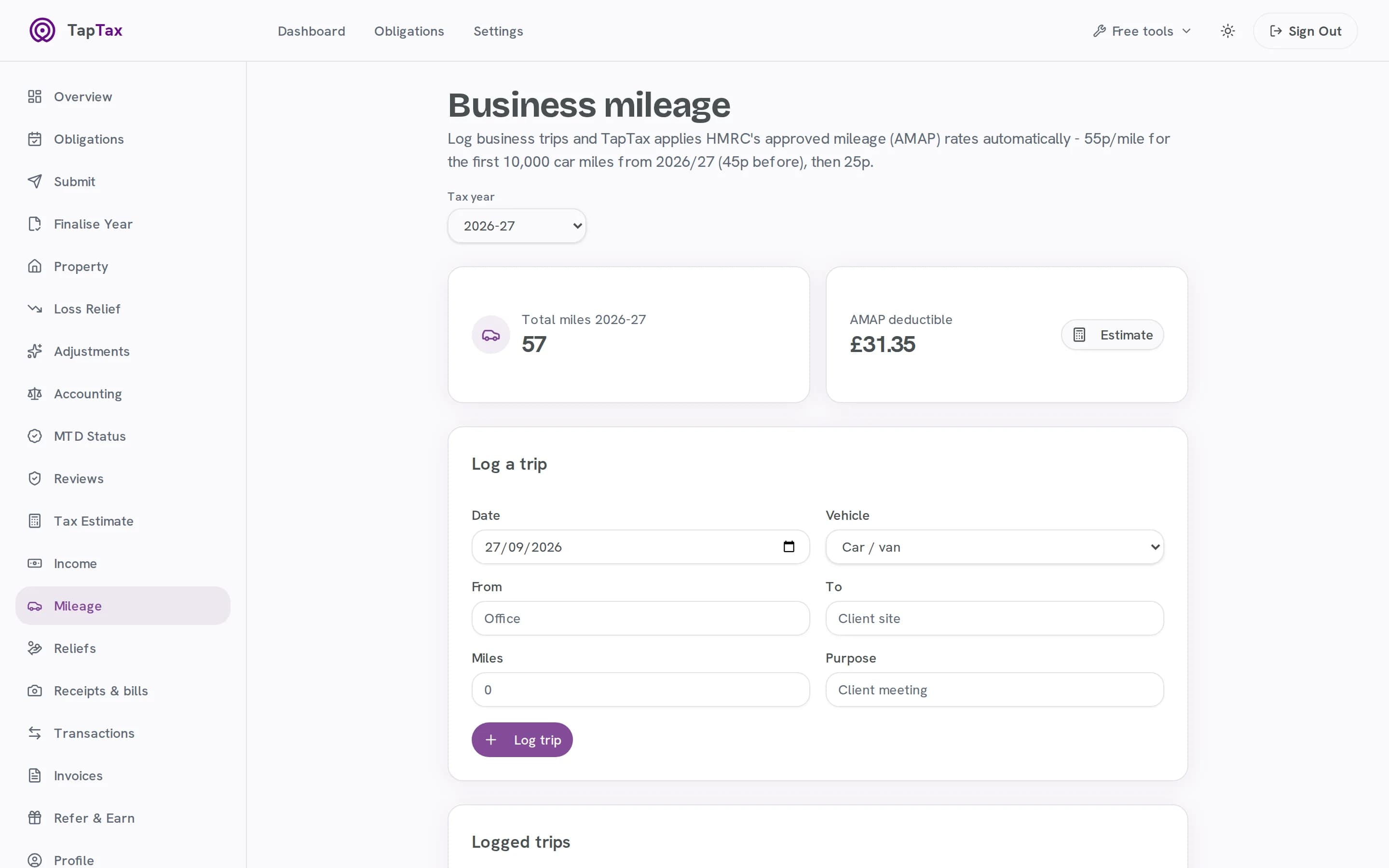
Miles at HMRC rates
Log business trips and TapTax applies the approved mileage rates, 55p a mile for the first 10,000 in 2026/27.
- 55p a mile for the first 10,000 in 2026/27
- 25p a mile after that
- Every trip logged with its date
Pro and above
04The categories
The categories HMRC works in.
TapTax suggests one of these for every transaction, and they add up into the expense totals on your quarterly update. Change any suggestion with a tap.
- Cost of Goods
- Stock and materials you buy to sell or use in the work.
- Subcontractor Costs
- Payments to subcontractors, including under the Construction Industry Scheme.
- Salary & Wages
- Pay and costs for staff you employ.
- Travel
- Fares, parking and hotels on business trips.
- Premises
- Rent, rates, heat and light for business premises.
- Repairs & Maintenance
- Repairs to business property and equipment.
- Office & Admin
- Phone, internet, stationery, postage and software.
- Marketing
- Advertising, your website and promotion.
- Meals & Entertainment
- Kept on record; HMRC does not allow entertaining clients as a business cost.
- Loan Interest
- Interest on business loans.
- Bank & Finance Charges
- Bank fees, card charges and overdraft costs.
- Bad Debts
- Money you are owed and will never be paid.
- Professional Services
- Accountant, solicitor and other professional fees.
- Depreciation
- Kept on record; HMRC gives capital allowances instead.
- Other
- Allowable costs that fit nowhere else.
05Before and after
The same job, without the admin.
| The job | On your own | With TapTax |
|---|---|---|
| Getting it in | Getting it inCopied from the bank app, row by row | One CSV: months at once |
| Overlapping statements | Overlapping statementsCounted twice without noticing | Rows already imported are skipped |
| Categories | CategoriesYour own names, sorted out at the year end | HMRC's categories, suggested for you |
| Personal spending | Personal spendingDeleted, or forgotten | Marked personal, kept out of your figures |
| Mileage | MileageA notebook, and the rate looked up | Trips logged at HMRC's approved rates |
06What's included
Everything in bookkeeping
Every plan
16 UK banks recognised
Barclays, HSBC, Lloyds, NatWest, Monzo, Starling, Revolut, Tide and more.
Every plan
No double counting
Overlapping statements and duplicates are caught.
Starter and above
AI categories
The HMRC boxes, suggested for every transaction.
Every plan
Business or personal
One tap each; personal never reaches your filing.
Pro and above
Mileage at HMRC rates
Trips logged, rates applied.
Every plan
Manual entry, any time
For the cash job or the odd receipt.
Free to start; Starter is £4.99 a month and Pro £9.99. Compare plans.
07Built for
Made for the way you work.
One account for everything
Business and personal spending in the same account, split with a tap.
Trades and drivers
Business miles at the approved rates, alongside everything else.
Leaving a spreadsheet
Months of history in from one CSV, sorted into HMRC's categories.
08Phone and web
In your pocket, and on your desk.
Sort a week of transactions in the queue on your phone, a card at a time, and see the result on the web.
Bookkeeping: questions
Which banks can I import from?
Any bank that exports a CSV statement. TapTax recognises statements from 16 UK banks automatically and lets you match columns for anything else.
Can I connect my bank directly?
Not yet: a read-only bank connection is on the way. Until then, one CSV brings in months of records.
What happens to personal spending?
Mark it personal and it stays out of your figures. Anything not yet marked counts as business until you say otherwise, and TapTax shows how many are unreviewed.
Is importing free?
Yes. CSV import and manual entry are on every plan. AI categorisation is on Starter and above.
What if I import the same statement twice?
Rows already in TapTax are marked as already imported and skipped, so overlapping statements never count twice.
Which mileage rate does TapTax use?
HMRC's approved rate for the year of the trip: in a car or van, 55p a mile for the first 10,000 business miles in 2026/27 (45p before), then 25p.
Start free, file when you are ready.
Connecting to HMRC, keeping records and one quarterly submission are free. No card needed.
Start freeFree tools and guides
Where these figures come from
The figures and rules on this page come from these published sources.