
- MTD-compatible
- Bank-level encrypted
- Files straight to HMRC
- Built for quarterly updates
- statutory interest, plus the Bank of England base rate
- 8%statutory interest, plus the Bank of England base rateWhat a business client owes on a late invoice, unless your contract sets a different rate.
- fixed compensation on a late invoice, and up to £100
- £40fixed compensation on a late invoice, and up to £100£40 on a debt up to £999.99, £70 up to £9,999.99 and £100 from £10,000, charged once per invoice.
- invoice templates
- 6invoice templatesClassic, Plain, Trades, Consultancy, Creative and Retail, in your colours.
02The walkthrough / 0:48
Watch it, start to finish.
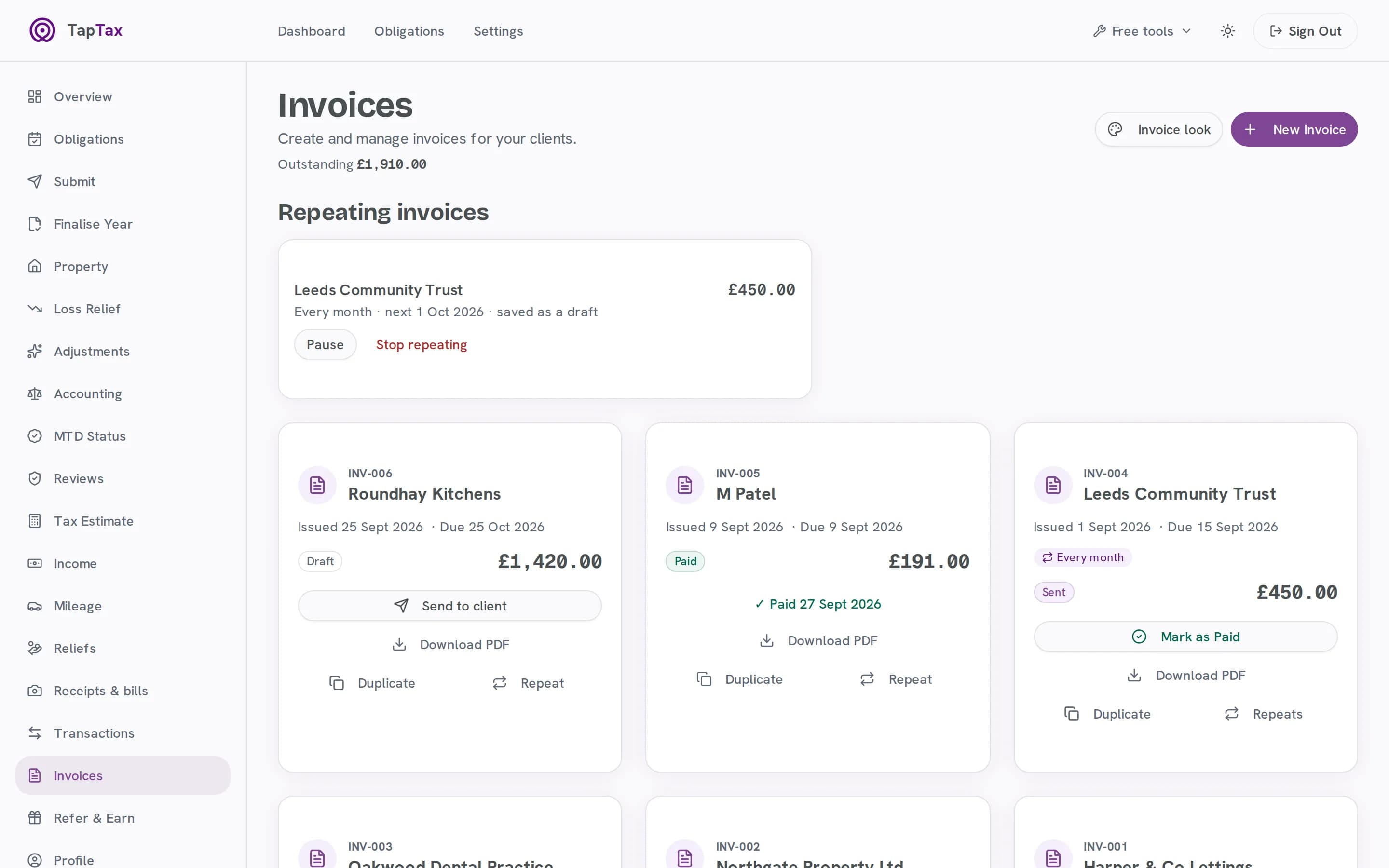
A new invoice on the live app from a saved client and the rate card, in your own look, saved as a draft; then an overdue invoice marked paid.
What happens in the film
- Title: from a quote to paid.
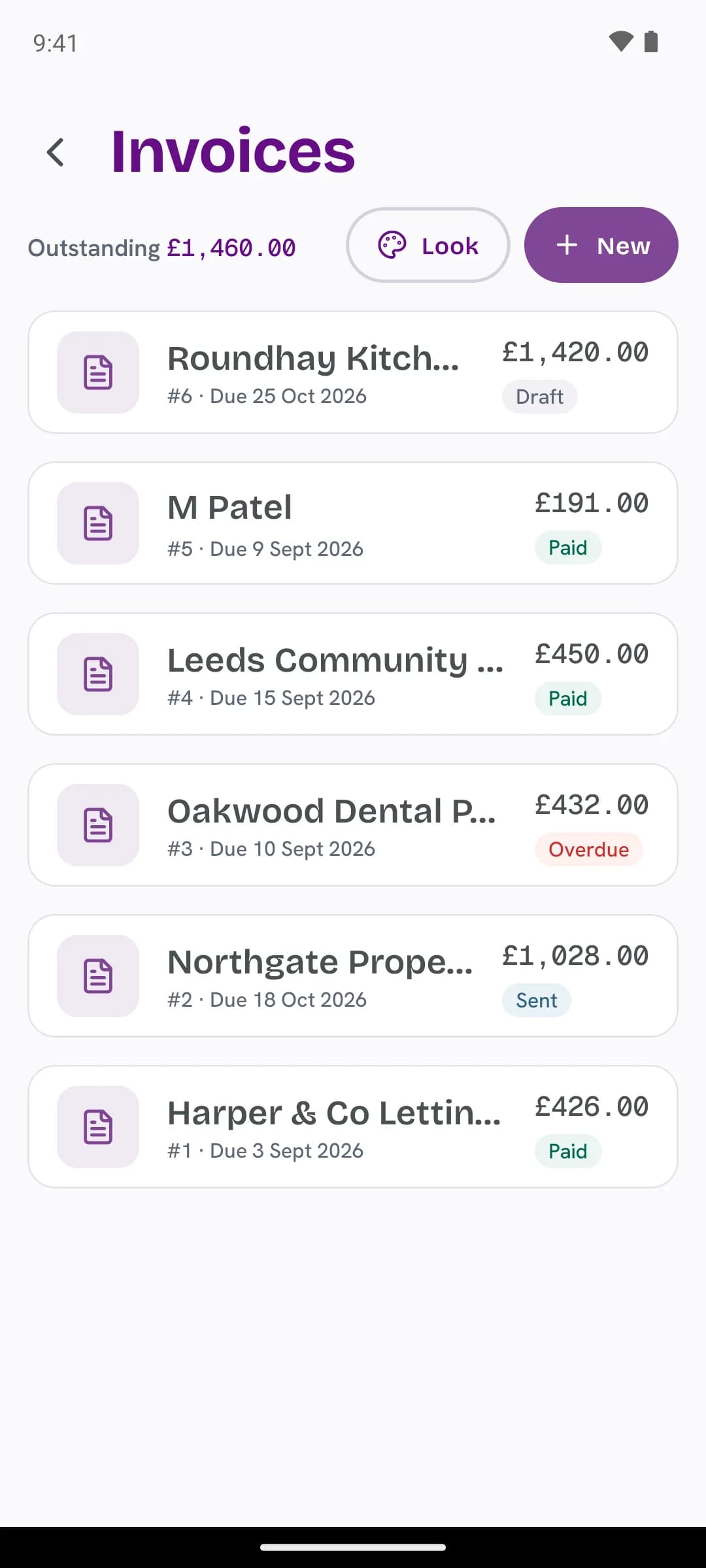
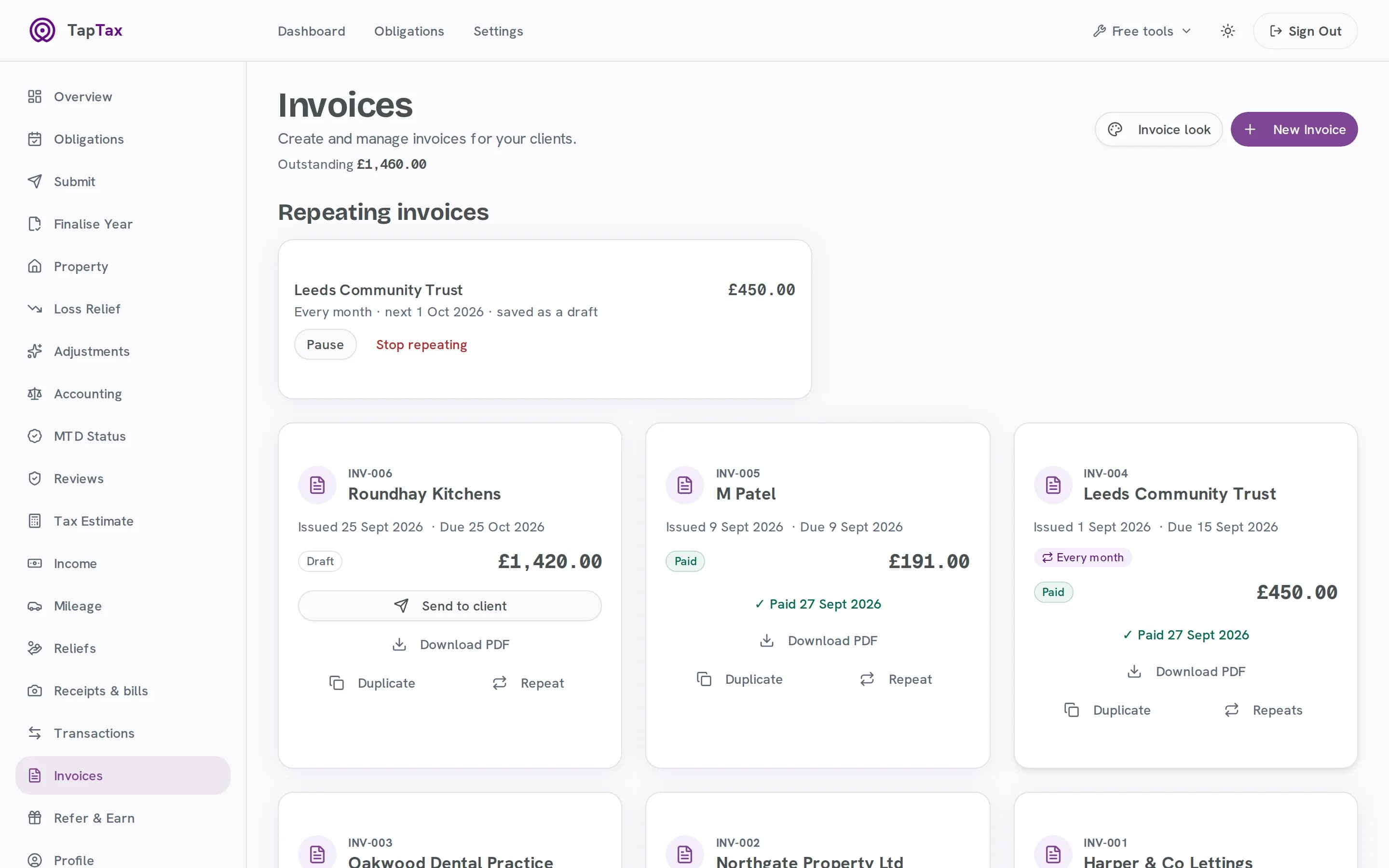
- Your invoices: what is outstanding, what repeats each month and what has been paid.
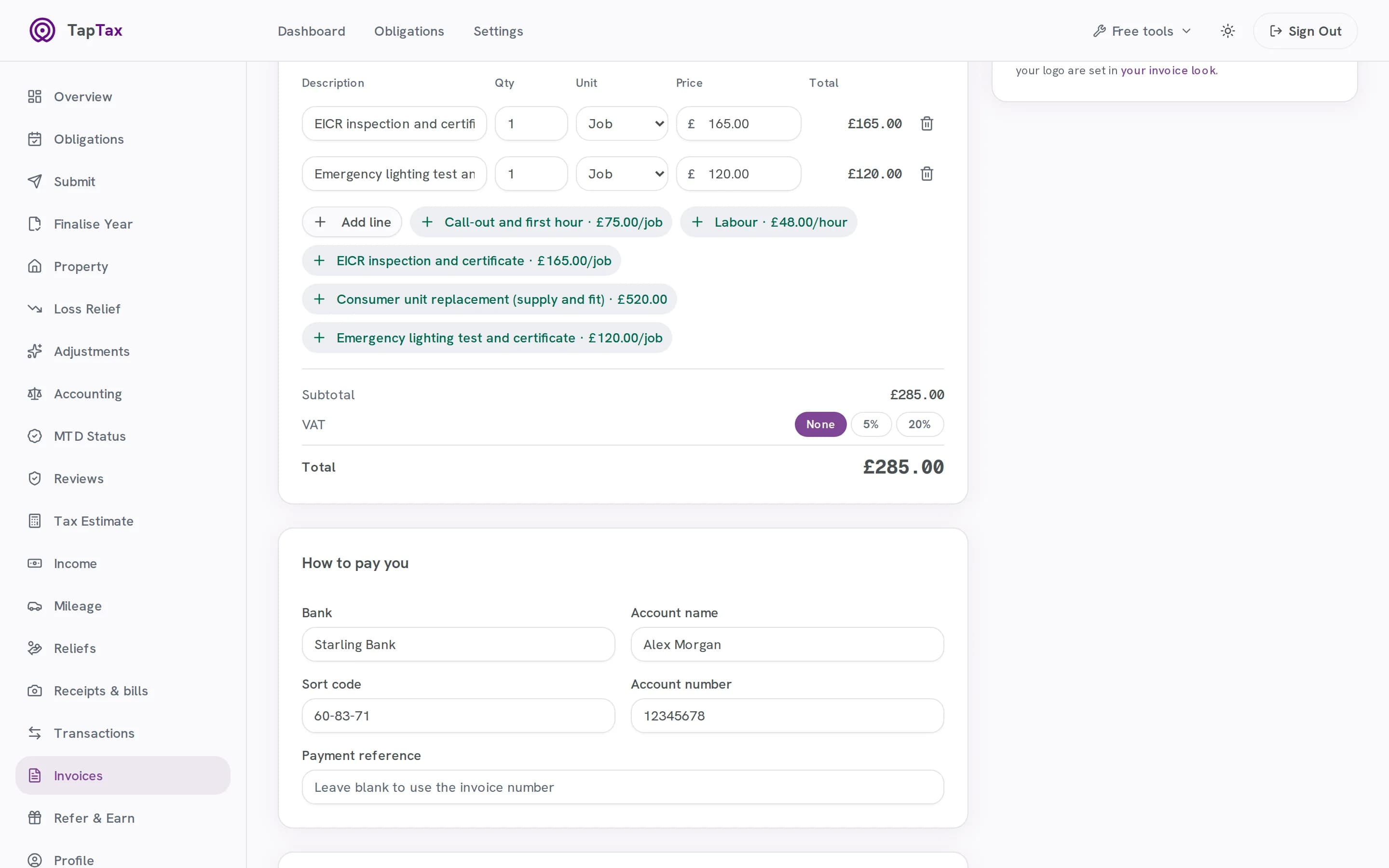
- Clients and prices, saved: a new invoice for a saved client, with an EICR and an emergency lighting test from the rate card, £285.00.
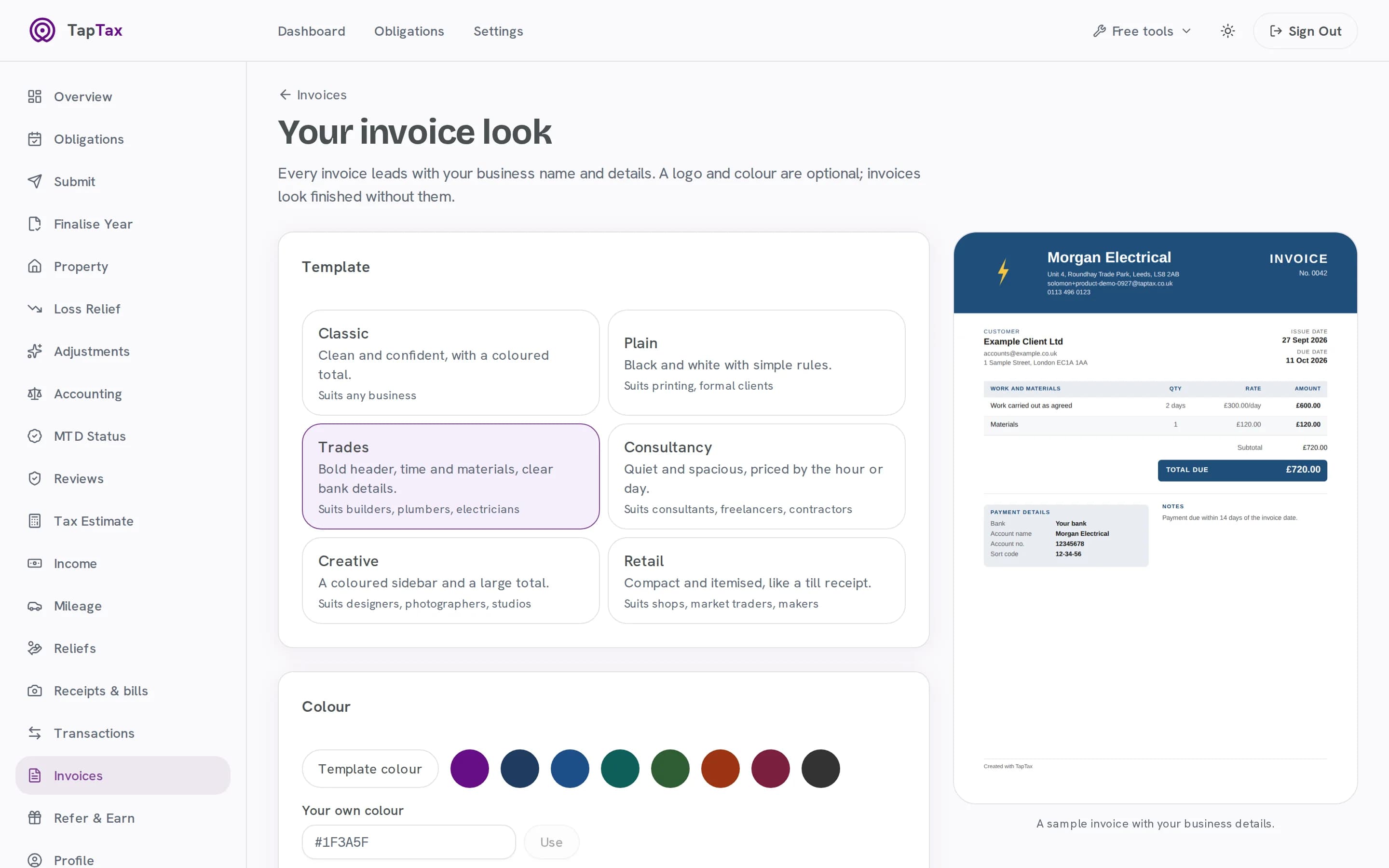
- Your look: the Classic template, then back to Trades, previewed live, and the invoice saved as a draft.
- Paid, and never counted twice: an overdue invoice marked paid.
- Start free at taptax.co.uk. Free to start, no card needed.
03How it works
From a quote to paid, in one place.
Set your look once, then invoices take a minute, repeat themselves and chase themselves.
01 / Brand
Make it yours
Pick one of six templates, your colour and fonts, and add your logo. A live preview shows your own details.
- Six templates
- Your colour, fonts and logo
- A live preview with your own details
02 / Create
Clients and prices, saved
Keep your clients with their payment terms, and a rate card of the jobs you do, so an invoice takes a minute.
- Saved clients with their payment terms
- A rate card of the jobs you do
- Numbered in sequence for you
03 / Send
Send it from you
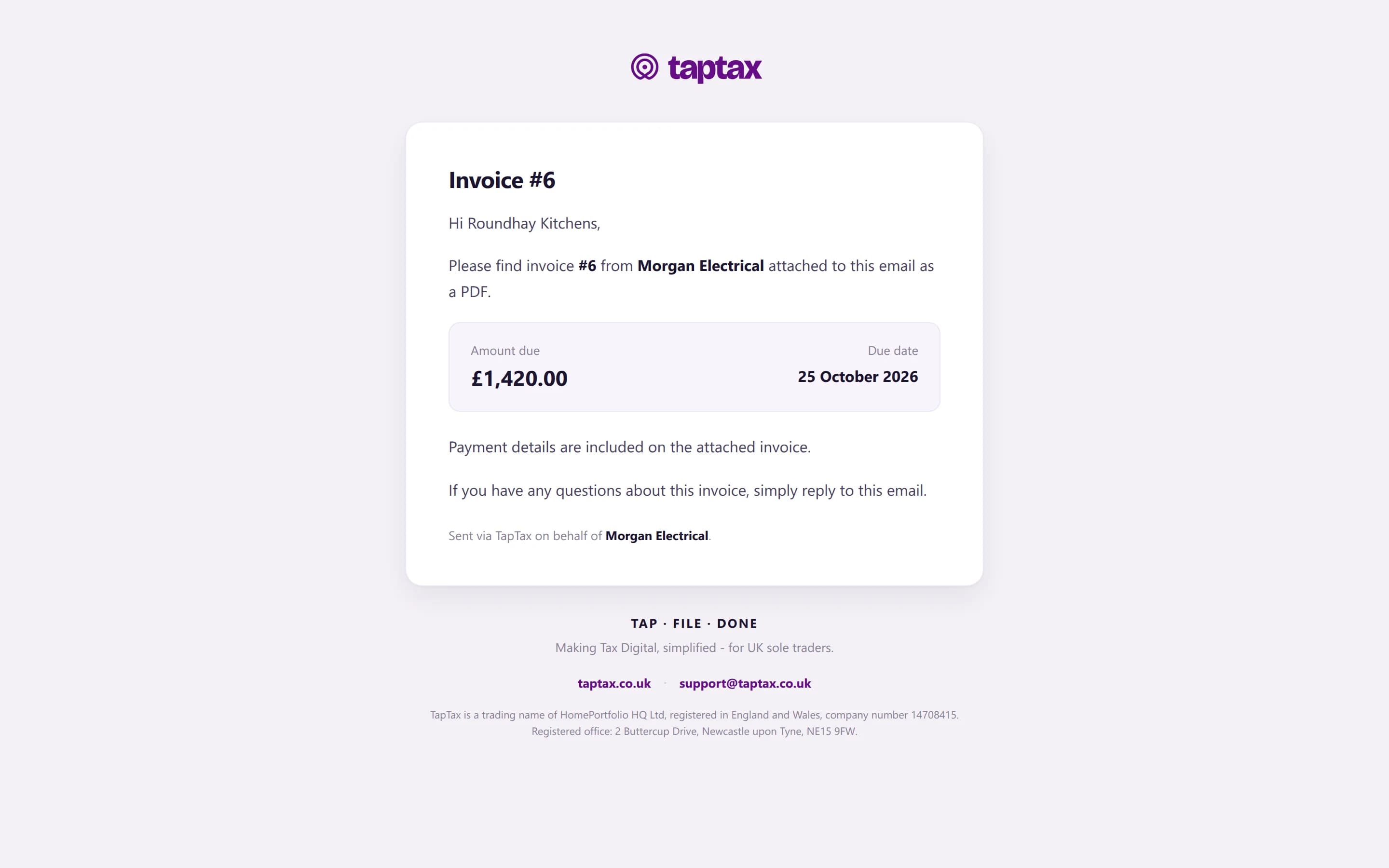
It arrives from your business name with the PDF attached, and replies come straight to you.
- From your business name, via TapTax
- The PDF attached
- Replies come straight to you
04 / Repeat
Repeat and remind
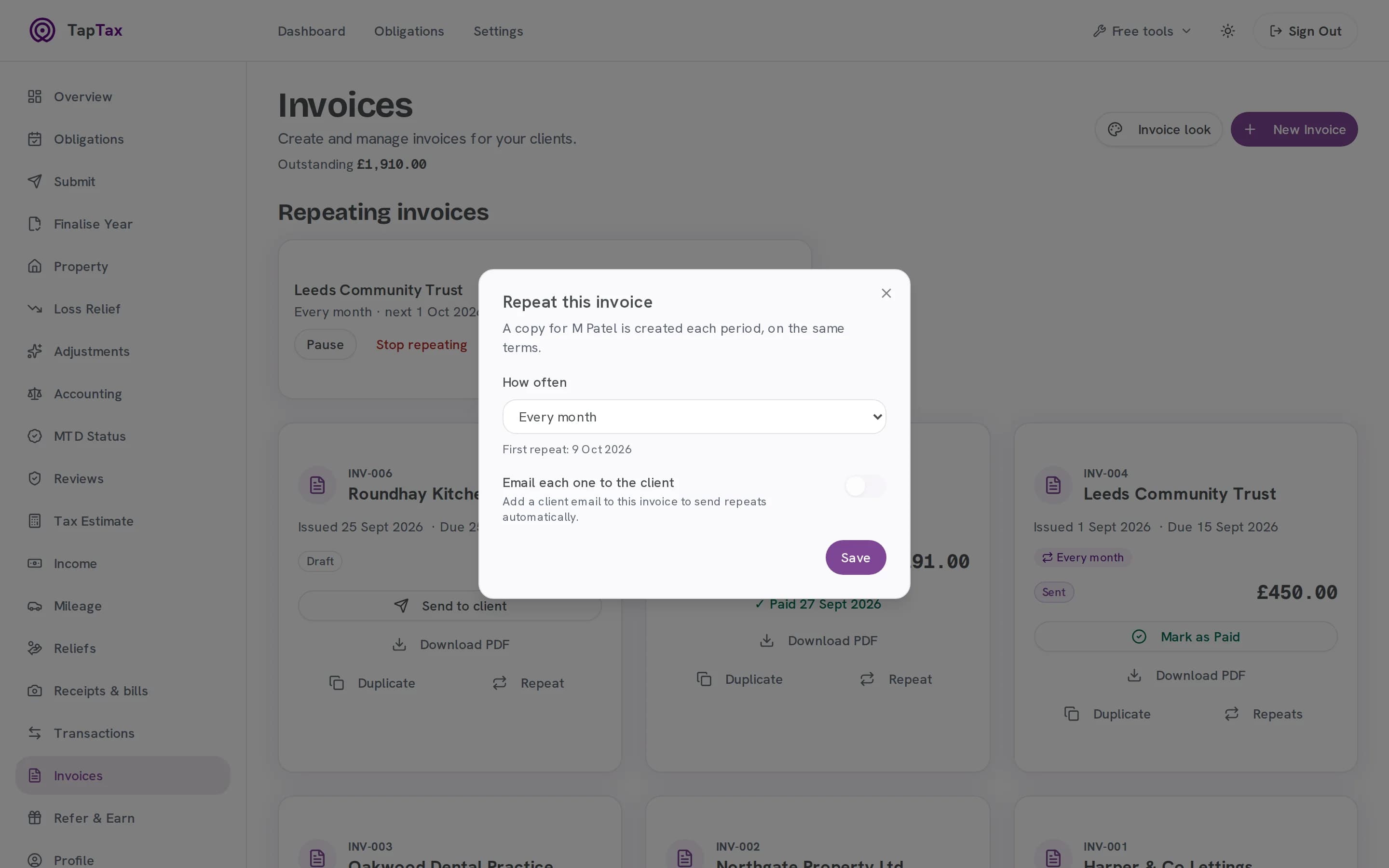
Repeat monthly work on a schedule, and switch on reminders that go before the due date and after it.
- Weekly, monthly, quarterly or yearly
- Reminders before, on and after the due date
- Statutory interest for business clients, if you choose
05 / Paid
Paid, and never counted twice
Mark an invoice paid when the money lands. The payment itself reaches your figures from your bank statement, so the same income is never counted twice.
- Marked paid with the date
- Overdue invoices flagged
- Income counted once, from your bank
04The rules
What an invoice must show, already on yours.
GOV.UK sets out what every invoice needs. TapTax puts each part in place from what you have saved, so none is left off by accident.
| GOV.UK says an invoice needs | In TapTax |
|---|---|
| A unique identification number | Numbered in sequence for you, in your own format, and never reused. |
| Your name, any business name, address and contact details | From your business details, on every invoice. |
| The customer's name and address | From your saved clients. |
| A clear description of what you are charging for | From your rate card, or typed on the line. |
| The supply date and the date of the invoice | The invoice date is set for you; add the supply date to the line or the notes. |
| The amounts charged, any VAT, and the total owed | Added up per line, with VAT and your VAT number if you are registered. |
Source: Invoicing and taking payment from customers: what invoices must include, GOV.UK.
05Before and after
The same job, without the admin.
| The job | On your own | With TapTax |
|---|---|---|
| Making one | Making oneA Word template, retyped each time | Saved clients and a rate card: a minute |
| Numbering | NumberingRemembered, or not | In sequence, never reused |
| Chasing | ChasingAwkward emails you put off | Reminders sent for you, before and after the due date |
| Late payers | Late payersInterest you never claim | Statutory interest added for business clients, if you choose |
| What is owed | What is owedA spreadsheet of who has paid | Outstanding and overdue at a glance |
06What's included
Everything in invoicing
Every plan
Six templates
Classic, Plain, Trades, Consultancy, Creative and Retail.
Every plan
Your look
Colours, fonts and logo on every invoice.
Every plan
Saved clients and rate card
Terms and prices you set once.
Every plan
Repeating invoices
Weekly, monthly, quarterly or yearly.
Every plan
Payment reminders
Sent for you, with statutory interest for business clients if you choose.
Starter and above
Unlimited invoices
Three on the free plan, unlimited on Starter.
Free to start; Starter is £4.99 a month and Pro £9.99. Compare plans.
07Built for
Made for the way you work.
Trades
The Trades template, with the jobs you do on a rate card: an EICR or a callout in a tap.
Consultants
Monthly retainers that repeat themselves, with reminders if they are late.
Creatives and sellers
The Creative and Retail templates in your colours, sent from your business name.
08Phone and web
In your pocket, and on your desk.
Raise an invoice on the job and send it before you leave. Check who has paid from anywhere.
Invoicing: questions
Will my client see TapTax?
The invoice and the email lead with your business. The invoice carries a small “Created with TapTax” line, and the email comes from your business name “via TapTax”.
Can it remind clients who pay late?
Yes, if you switch reminders on for an invoice: before the due date, on the day and after it.
How does a paid invoice reach my tax figures?
Through the payment. When your client pays, the payment on your bank statement is the income TapTax counts in your quarter and your estimate. Marking the invoice paid keeps your invoice list straight without counting the money a second time.
How many invoices can I send?
Three on the free plan and unlimited on Starter and Pro.
Can I charge interest on a late invoice?
For business clients, yes: statutory interest at 8% plus the Bank of England base rate, and fixed compensation of £40, £70 or £100 depending on the amount, unless your contract sets other terms. TapTax can add it to your reminders if you choose.
Does every invoice include what the law asks for?
Yes. The number, your details, your client's, what you are charging for and the amounts all come from what you have saved. Add the supply date to the line or the notes.
Start free, file when you are ready.
Connecting to HMRC, keeping records and one quarterly submission are free. No card needed.
Start freeFree tools and guides
Where these figures come from
The figures and rules on this page come from these published sources.