
- MTD-compatible
- Bank-level encrypted
- Files straight to HMRC
- Built for quarterly updates
- quarterly updates a year
- 4quarterly updates a yearDue 7 August, 7 November, 7 February and 7 May, each one cumulative from 6 April.
- qualifying income brings you in from 6 April 2026
- £50,000qualifying income brings you in from 6 April 2026Then £30,000 from April 2027 and £20,000 from April 2028. Self-employment and property income before expenses both count.
- the final declaration deadline
- 31 Janthe final declaration deadlineAfter the tax year ends, it takes the place of the old Self Assessment return.
02The walkthrough / 0:46
Watch it, start to finish.
The live app on a demo account, sending a real quarterly update to HMRC's test service: every click and every screen, nothing mocked up.
What happens in the film
- Title: your quarterly update, filed with HMRC.
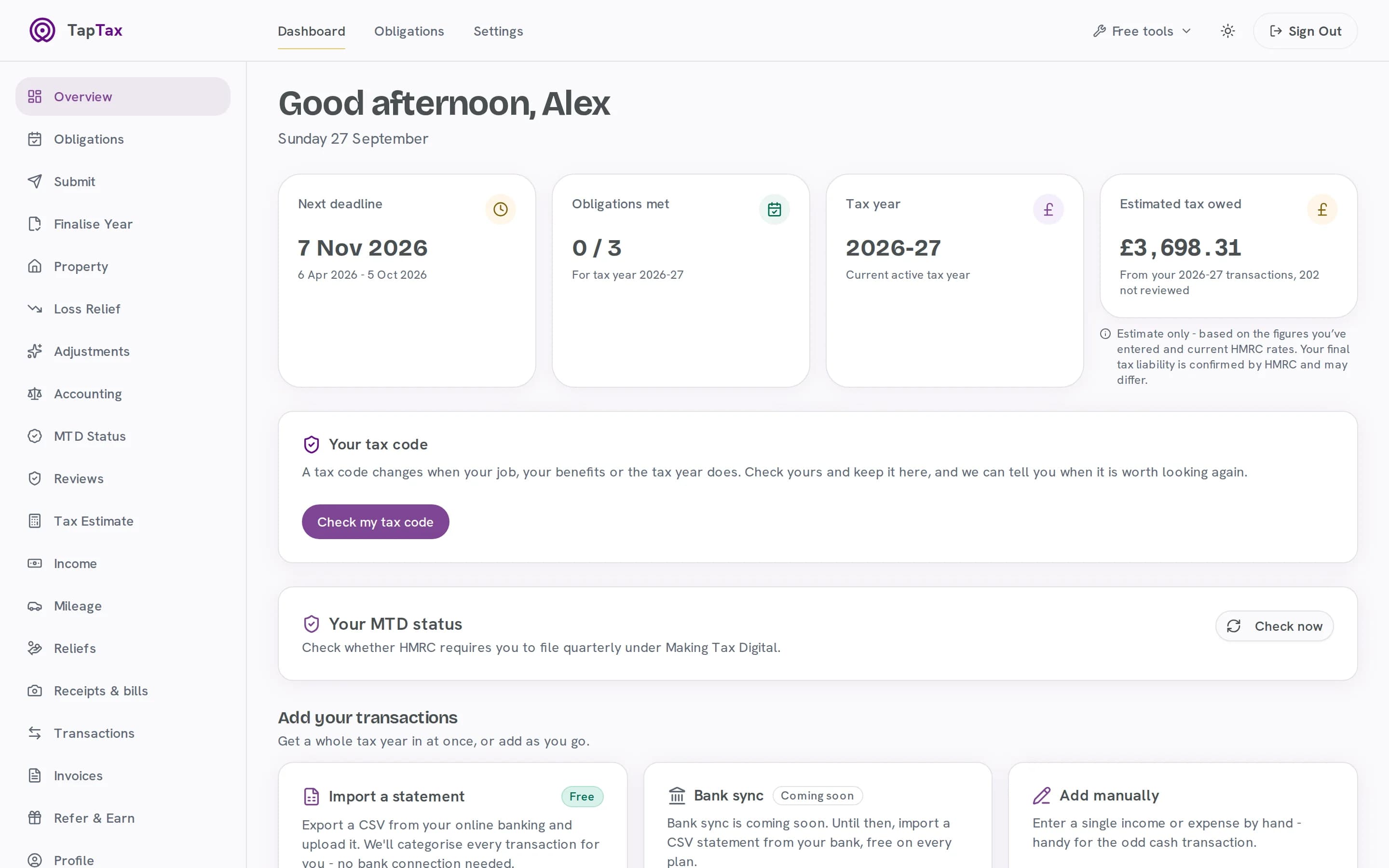
- Your dashboard: the next deadline, 7 November 2026, and a live tax estimate.
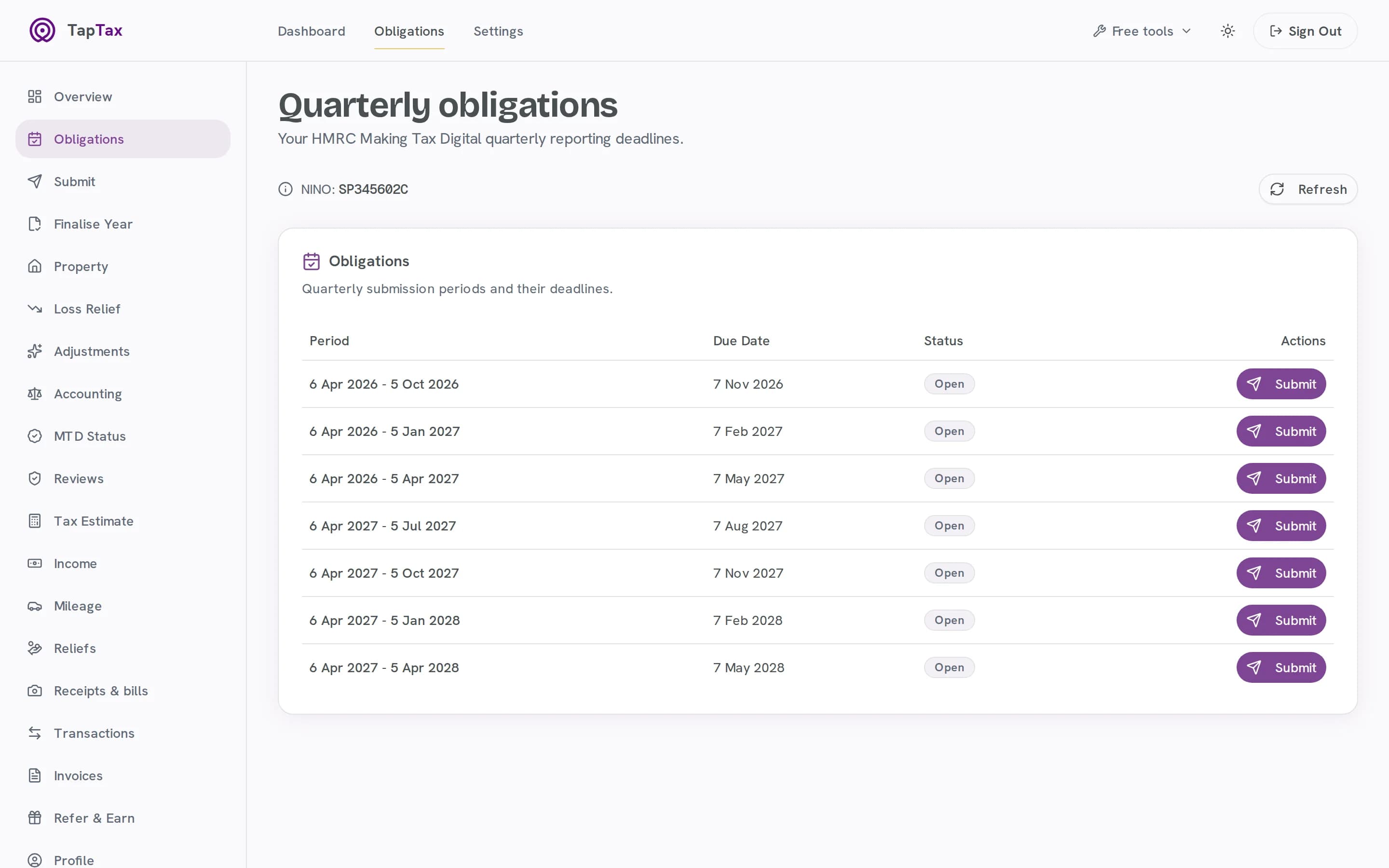
- Every deadline: the quarterly obligations, read straight from HMRC.
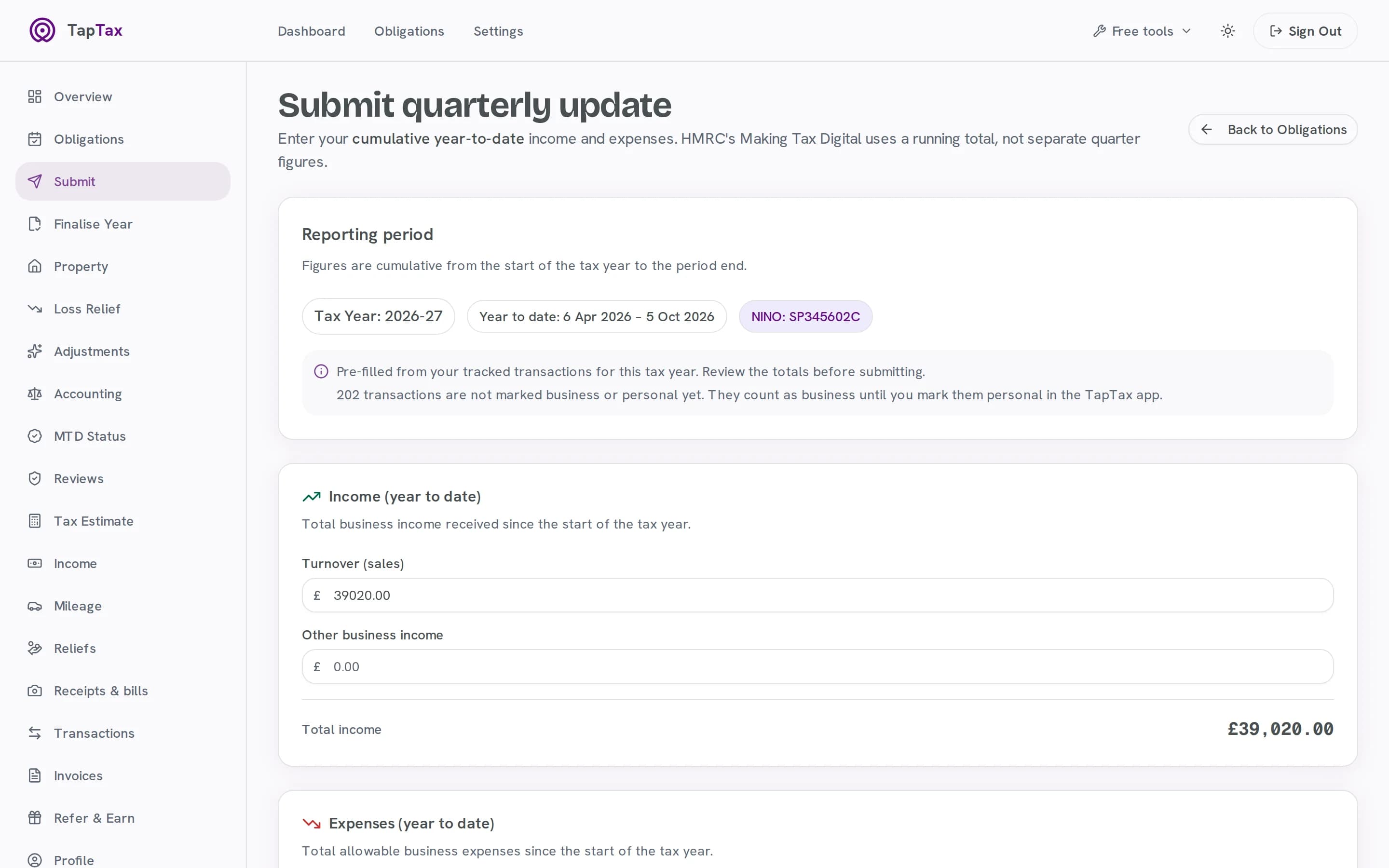
- Your figures, already filled in: turnover of £39,020.00 and the expenses for the year so far, from your records.
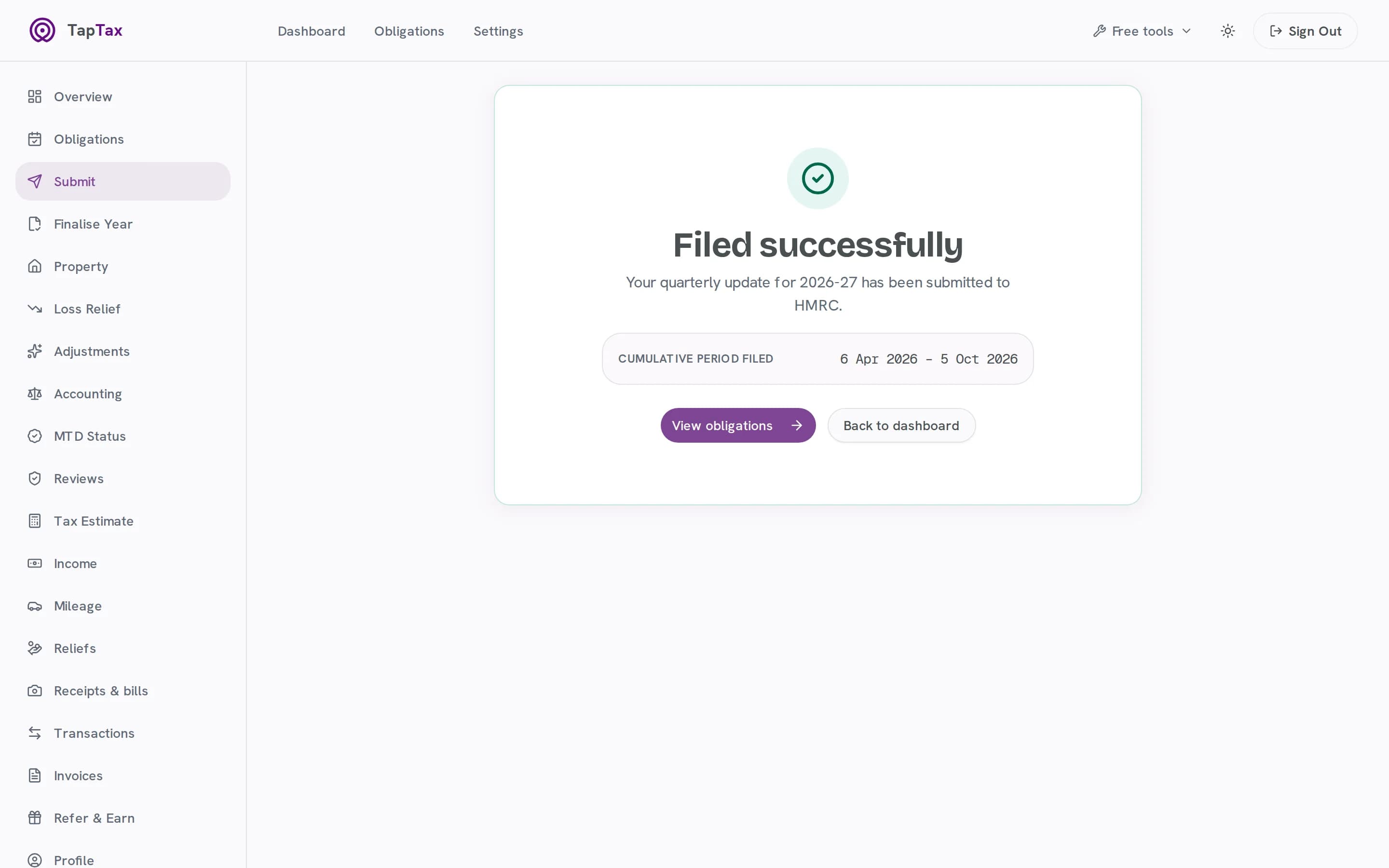
- Check, then file: Submit to HMRC, and the update for 6 April to 5 October 2026 is filed.
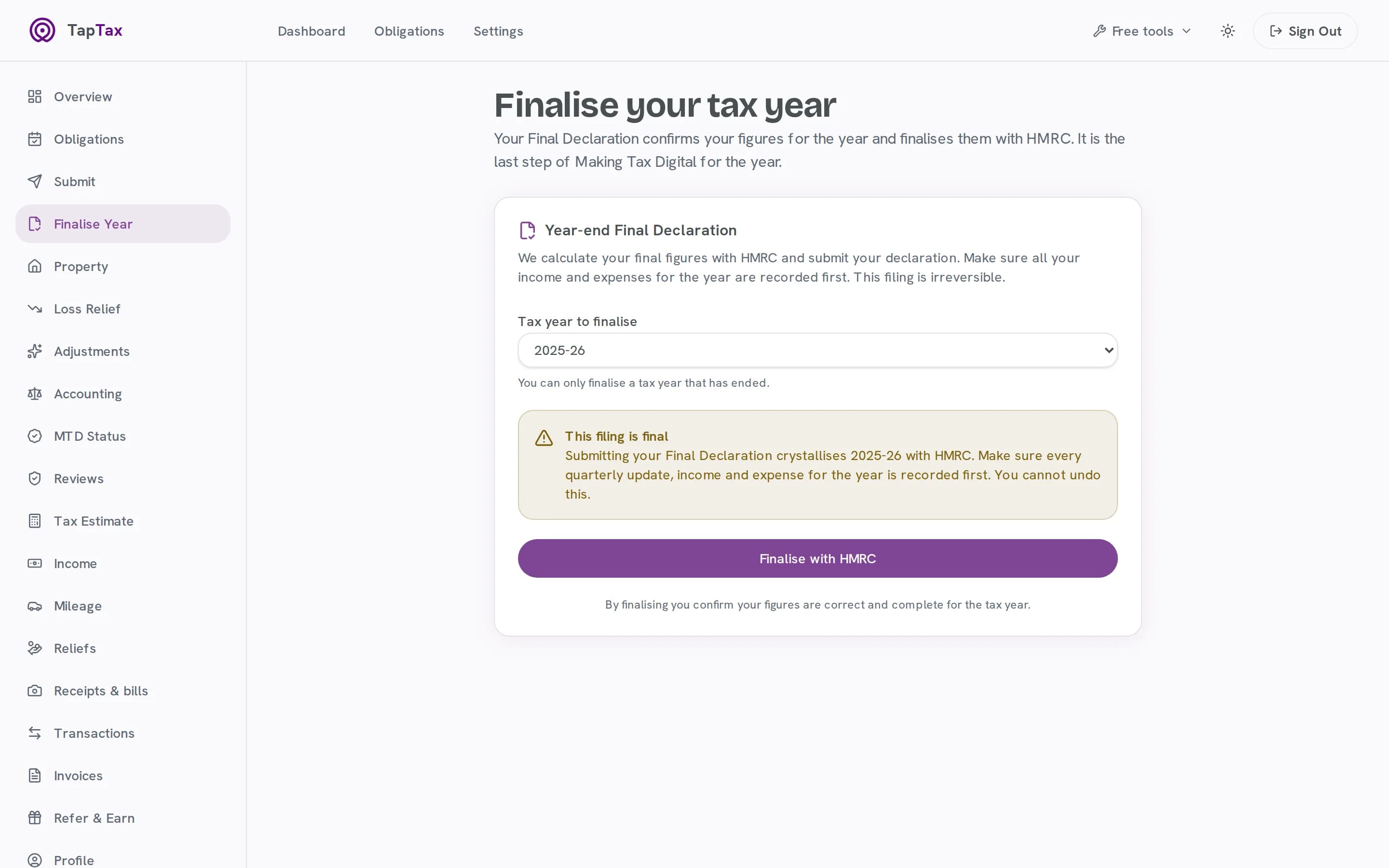
- Finish the year: the final declaration for 2025-26, from the same place.
- Start free at taptax.co.uk. Free to start, no card needed.
03How it works
From your records to HMRC, in five steps.
Connect once, then every quarter is the same: see what is due, check the figures TapTax has filled in, and file.
01 / Connect
Connect to HMRC once
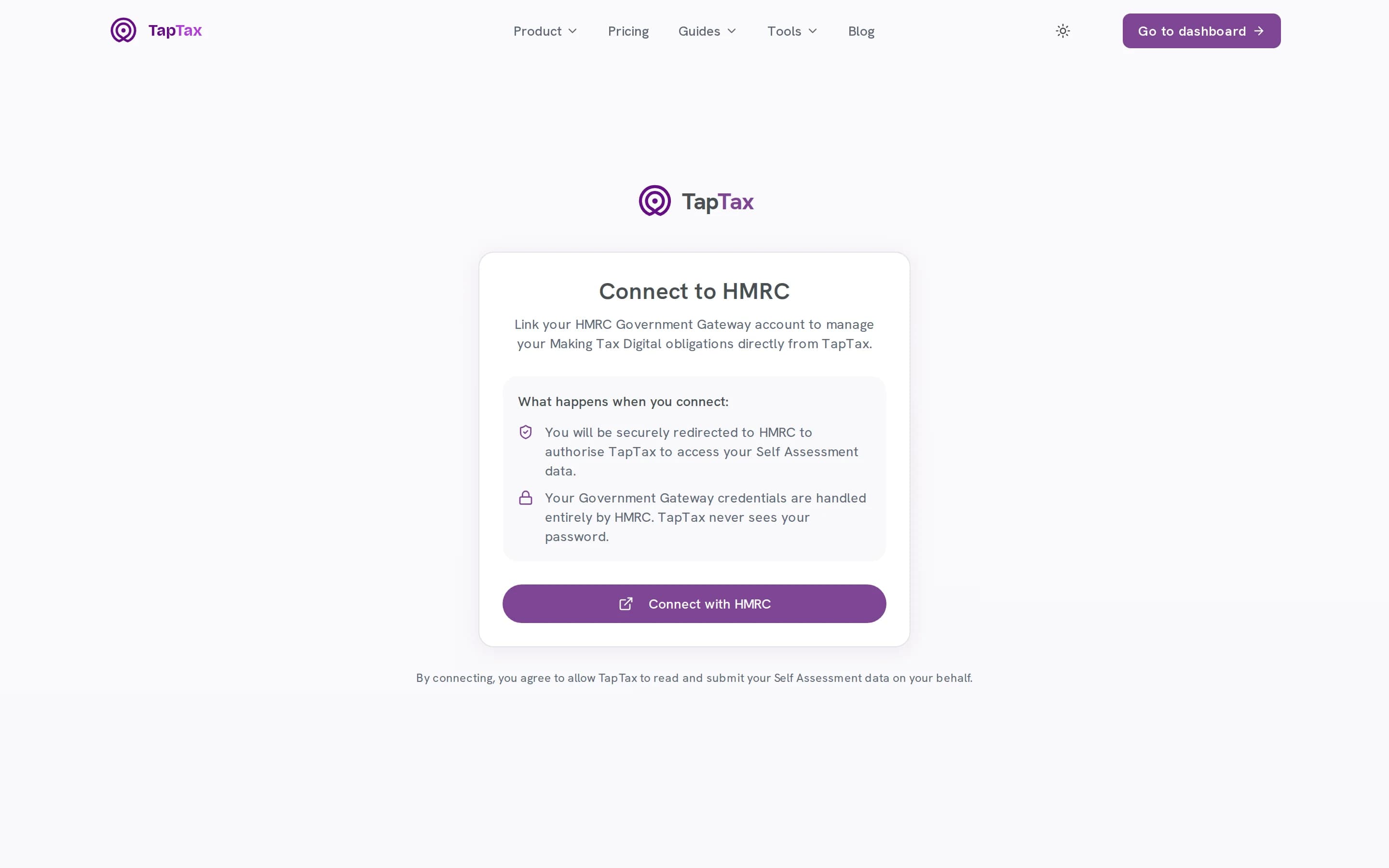
Sign in with your HMRC details and give TapTax permission. Your password never reaches us: HMRC issues a token you can revoke at any time.
- You sign in on HMRC's own website
- TapTax never sees your HMRC password
- Revoke access from HMRC at any time
02 / Deadlines
See every deadline
Your obligations come straight from HMRC: each quarter, its due date and whether it is done, for this tax year and the next.
- Read from HMRC, not a calendar we typed
- This tax year and the next
- Open or fulfilled, with the due date
03 / Figures
Your figures, already filled in
The update is cumulative from 6 April, and TapTax adds up your income and expenses for you. Anything you have not marked personal counts, and it tells you what is still unreviewed.
- Year-to-date totals from 6 April
- Expenses in HMRC's own categories
- Unreviewed transactions counted and shown
04 / File
Check, then file
Every figure is yours to change before it goes. Tap to file, and TapTax confirms the period HMRC now has.
- Edit any figure before it goes
- Sent through HMRC's Making Tax Digital APIs
- The period HMRC now holds, confirmed
05 / Year end
Finish the year
When the year ends, make the final declaration from the same place. Year-end adjustments, loss claims and reliefs are on Pro.
- The final declaration, from the same place
- Due 31 January after the tax year
- Losses, reliefs and adjustments on Pro
04The tax year
One tax year, five deadlines.
Each quarterly update covers everything from 6 April to the end of its quarter, so the fourth one is the whole year. These are the standard update periods; TapTax shows yours exactly as HMRC holds them.
6 Apr to 5 Jul
First update
Due 7 August
6 Apr to 5 Oct
Second update
Due 7 November
6 Apr to 5 Jan
Third update
Due 7 February
6 Apr to 5 Apr
Fourth update
Due 7 May
The whole tax year
Final declaration
Due 31 January
Source: Use Making Tax Digital for Income Tax: send quarterly updates, GOV.UK.
05Before and after
The same job, without the admin.
| The job | On your own | With TapTax |
|---|---|---|
| Deadlines | DeadlinesA calendar you keep yourself | Your obligations, read from HMRC |
| The figures | The figuresTotals added up by hand every quarter | Year-to-date totals from your records |
| Personal spending | Personal spendingFiltered out with formulas | Marked once, left out of every update |
| Sending | SendingA spreadsheet plus separate bridging software | Filed from the same app, through HMRC's APIs |
| The year end | The year endAnother tool, or another fee | The final declaration, from the same place |
06What's included
Everything in MTD filing
Every plan
Live tax estimate
Income tax and Class 4 National Insurance on your tracked figures, updated as money moves.
Every plan
Every deadline in one place
Quarterly obligations and the final declaration, straight from HMRC.
Every plan
Cumulative updates, done right
Year-to-date totals from 6 April, as HMRC now expects them.
Starter and above
All quarterly submissions
The free plan files one quarter; Starter files them all.
Pro and above
Property and other income
UK and overseas property, dividends and savings alongside your trade.
Pro and above
Losses, reliefs and adjustments
Loss claims, tax reliefs and year-end adjustments, filed with the rest.
Free to start; Starter is £4.99 a month and Pro £9.99. Compare plans.
07Built for
Made for the way you work.
Sole traders over the threshold
Making Tax Digital applies from 6 April 2026 if your qualifying income was over £50,000 in 2024/25.
Landlords
Property income counts towards the threshold too. UK and overseas property filing is on Pro.
Early starters
Anyone can volunteer before the rules reach them, and volunteers are not penalised for a late quarterly update.
08Phone and web
In your pocket, and on your desk.
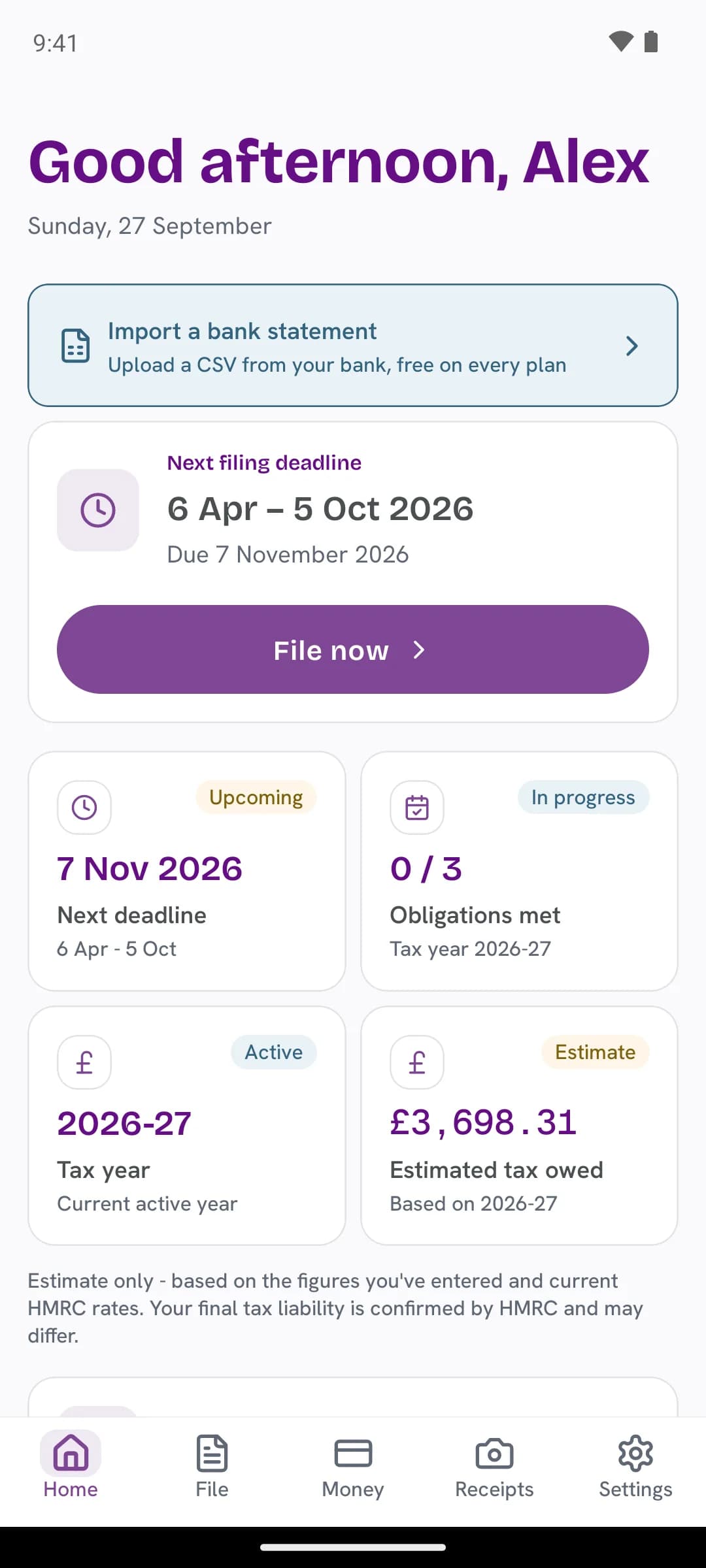
See the next deadline and file a quarter from your phone. Whatever you do on one shows on the other.
MTD filing: questions
Is TapTax recognised by HMRC?
Yes. TapTax is HMRC-recognised software for Making Tax Digital for Income Tax. It files through HMRC’s own Making Tax Digital APIs.
Do I have to file every quarter?
If Making Tax Digital applies to you, yes: four cumulative quarterly updates and a final declaration each year. TapTax shows which ones are due and when.
Can I change the figures before I file?
Always. TapTax fills them in from your records, and you can edit every one before anything is sent.
What does it cost?
Connecting to HMRC, keeping records and one quarterly submission are free. Starter (£4.99 a month) files every quarter; Pro (£9.99) adds property, other income, reliefs and losses.
When does Making Tax Digital start for me?
From 6 April 2026 if your self-employment and property income before expenses was over £50,000 in 2024/25; from April 2027 if it was over £30,000 in 2025/26; and from April 2028 if it was over £20,000 in 2026/27. The free MTD check tells you in a minute.
What is the final declaration?
It replaces the old Self Assessment return for anyone using Making Tax Digital. After the tax year ends you confirm your figures and add anything else you need to report, by 31 January.
Start free, file when you are ready.
Connecting to HMRC, keeping records and one quarterly submission are free. No card needed.
Start freeFree tools and guides
Where these figures come from
The figures and rules on this page come from these published sources.