
On this page7 sections
The phrase "HMRC approved accounting software" appears in thousands of Google searches every month. It also does not exist. The word HMRC uses is "recognised," and that gap in language is not a technicality. When a recognised product makes a submission error and HMRC charges you £200, the approval you thought you had turns out to be something considerably more limited.
Searching for hmrc approved accounting software before Making Tax Digital for Income Tax Self Assessment (MTD ITSA) takes effect from April 2026 for those with income over £50,000 is sensible preparation. What is less well-understood is what that recognition status actually covers, who bears the risk when it falls short, and what you should be evaluating instead.
- HMRC Recognised Software
- Software that has passed HMRC's technical compatibility tests and can connect to HMRC's MTD APIs to submit digital tax data. Recognition confirms API connectivity only. It does not constitute endorsement of the software's accuracy, pricing, or fitness for purpose.
What the Recognition Process Actually Tests
HMRC operates a software developer support team that works with vendors to ensure their products can send and receive data through HMRC's Application Programming Interfaces (APIs). Passing this process earns the software a place on HMRC's public list of recognised products.
The tests are technical: can the software authenticate with HMRC's system? Can it send a correctly formatted submission? Can it receive a confirmation? These are genuinely important tests, because a product that cannot communicate with HMRC is useless for MTD compliance.
What the tests do not cover:
- Whether the software categorises your expenses correctly under HMRC's allowable deductions rules
- Whether it applies the correct trading allowance calculations
- Whether it handles Class 4 National Insurance accurately
- Whether it correctly identifies overlap relief for sole traders transitioning from old tax years
- Whether its figures match what you would calculate by hand using HMRC's own guidance
In other words, the recognition process checks the plumbing, not the water quality.
4 million+
sole traders required to use MTD-recognised software by April 2027
£200
penalty per late quarterly MTD submission under HMRC's points-based system
0
recognised software vendors that accept liability for your tax submissions
Who Bears the Risk When Recognised Software Gets It Wrong
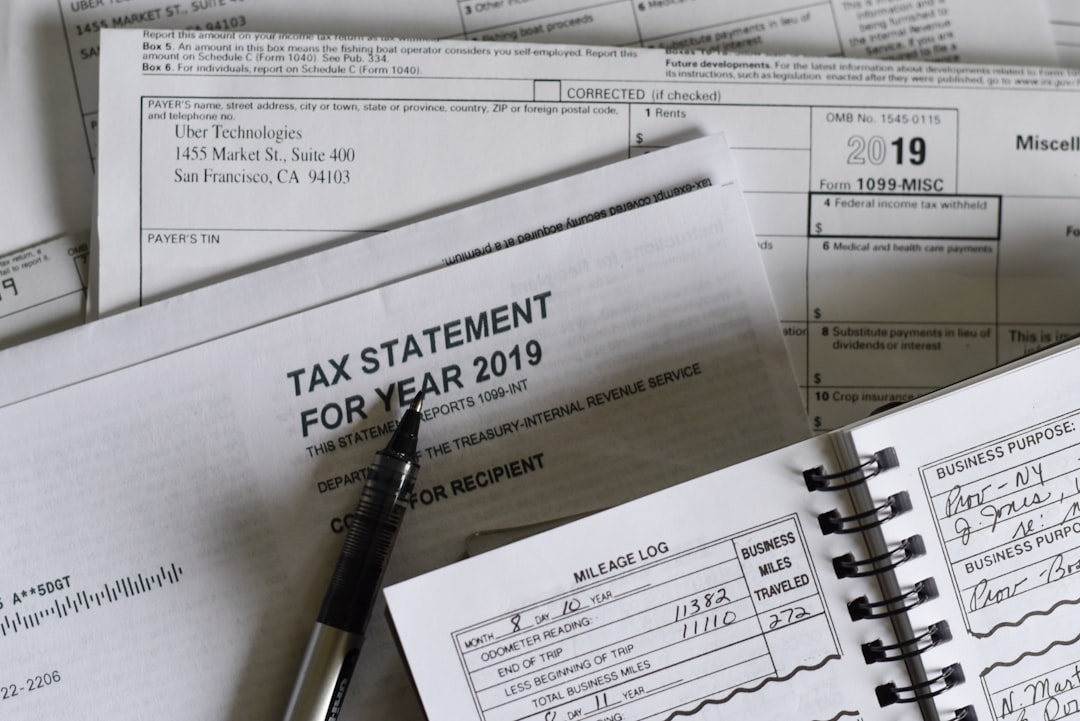
UK tax law has always been clear on this point, even if the software marketing is not. The Taxes Management Act 1970 places the obligation to notify HMRC of taxable income on the taxpayer. The Finance Act 2021, which introduced the statutory basis for MTD ITSA, did not change this. The obligation is yours.
When you authorise accounting software to submit quarterly updates on your behalf, you are still the responsible party. If the software miscalculates your income figure by £2,000 because it misclassified a payment from a repeat client as a personal transfer, HMRC's correspondence will be addressed to you. The software vendor will point you to clause 14 of their terms and conditions, which almost certainly states something like: "You are solely responsible for ensuring that all data entered into the software is accurate and that all submissions comply with applicable tax legislation."
FreeAgent, QuickBooks, Xero, and Sage all carry variants of this disclaimer. It is not unusual and it is not dishonest. Building liability for users' tax accuracy into software pricing would be commercially impossible. But it does mean the phrase "HMRC approved" implies a level of governmental backing that simply does not exist in practice.
This matters particularly for sole traders using MTD software for the first time who assume that a product on HMRC's recognised list is, in some sense, vetted for correctness. It is vetted for connectivity. Those are different things.
The Recognised List: What It Tells You and What It Does Not
HMRC's public list of recognised MTD ITSA software currently runs to dozens of products, from enterprise platforms costing hundreds of pounds per month to mobile apps charging a few pounds per quarter. Recognition status does not distinguish between them. A product that passed the API compatibility test two years ago sits on the same list as one that passed last month.
The list also does not tell you:
Whether the vendor is financially stable. Several small MTD software vendors have exited the market since VAT MTD mandation in 2019. Sole traders who built their records in those products faced data migration headaches at short notice. HMRC's recognition of the software provided no protection.
Whether the software handles your specific situation. A recognised product may be fully compatible with HMRC's APIs but have no support for the cash basis of accounting, no facility for mileage tracking, or no ability to handle income from multiple trades. All of these are common for sole traders in construction and the wider trades sector.
Whether the submission preview is clear. The moment before you authorise a submission is the moment you have to catch errors. Some recognised software products show you a full breakdown of what they are sending to HMRC. Others show you a single figure and a confirm button. That difference is not captured anywhere in HMRC's recognition criteria.
Whether you can export your data. If you decide to switch software after a year, can you take your records with you in a format another product can read? HMRC requires you to retain digital records for at least five years after the 31 January submission deadline. If your software vendor exits the market, you need a copy of your data that you control.
For a deeper look at what the compatibility label leaves out, HMRC Compatible Software: What the Label Cannot Tell You covers the feature gaps in detail.
People also ask
Is HMRC approved accounting software actually approved by HMRC?
No. HMRC uses the term 'recognised' rather than 'approved.' Recognition means the software has passed technical compatibility tests to connect with HMRC's APIs. It does not mean HMRC endorses the software, guarantees its calculations, or accepts any liability for errors.
Who is responsible if HMRC-recognised software submits the wrong figures?
You are. UK tax law places the obligation for accurate submissions on the taxpayer, not the software vendor. Virtually all accounting software terms and conditions explicitly disclaim liability for the accuracy of your tax calculations or submissions.
How do I find software on HMRC's recognised list?
HMRC publishes a public list of software recognised for Making Tax Digital on its website. Inclusion on this list confirms API compatibility only. You should also evaluate the software on calculation accuracy, submission previews, data export options, and customer support quality.
What happens if my MTD software fails to submit a quarterly update on time?
If a submission fails and you do not resubmit by the deadline, you accrue a penalty point under HMRC's points-based system. Four points triggers a £200 penalty. The cause of the failure, including a software error, does not reduce or waive the penalty. You remain responsible for ensuring the submission completes.
What to Actually Check Before You Choose
Since recognition only tells you one thing (the software can connect to HMRC's systems), you need to evaluate everything else independently. Here is what matters for a sole trader in trades or self-employment:
Submission preview
Before the software sends anything to HMRC, does it show you a clear breakdown of the figures? You should see income, allowable expenses, profit, and any adjustments, line by line, before you confirm. If the software skips this step or shows only a summary total, that is a red flag. Sole traders turning over £50,000 to £80,000 are submitting material figures every quarter.
Calculation logic transparency
Can you see how the software arrived at each figure? If you recorded £3,200 in tool purchases this quarter, can you verify that the software is treating them correctly under the Annual Investment Allowance rather than as straightforward revenue expenses? Recognised software is not required to explain its working.
Error checking at submission
Does the software flag potential issues before you submit? For example: income recorded in one quarter that does not match bank statements linked to the account, or expense categories that are typically personal rather than business. Basic sanity checks at the submission stage reduce the risk of errors that HMRC would later query.
Bank feed reliability
Does the software connect to your business bank account via a live feed, or does it require manual CSV imports? A live bank feed reduces data entry errors, but feed connections can break, require periodic reauthorisation, and occasionally miss or duplicate transactions. Ask specifically whether the software has a reconciliation view that lets you verify matched transactions against your bank statement before submitting.
Data export and portability
Can you export your records in a standard format such as CSV or PDF at any time? If your software vendor exits the market, you need a copy of your data. Recognition status does not protect you from vendor failure, and HMRC's five-year record-keeping requirement does not go away if the software does.
Support when something goes wrong
If your quarterly submission fails at 11pm on the deadline date, what happens? Some recognised software products offer extended customer support hours. Others operate standard office hours only. For a sole trader who works on-site all week and does admin in the evenings, that distinction is practical, not marginal.
The Sole Trader Reality After April 2026
For the roughly 780,000 sole traders with income over £50,000 who come into MTD ITSA from April 2026, the requirement is not just to use recognised software. It is to use it accurately, consistently, and on time, four times per year.
Consider a plasterer turning over £68,000. They work across three or four sites in a typical week, buy materials at builders' merchants and on trade accounts, use a van that serves both business and occasional personal journeys, and get paid by bank transfer, sometimes weeks after the job is done. None of that complexity is accounted for in HMRC's API compatibility tests. Whether the software handles deferred income correctly, tracks partial business mileage accurately, and separates allowable from non-allowable materials is entirely outside the scope of recognition.
For that sole trader, the question is not "is this software on HMRC's recognised list?" The question is "will this software handle my actual situation and show me exactly what it is submitting before it submits it?"
Recognition answers the first question. You have to answer the rest yourself.
For those who have been searching for free options first, Free Tax Software Answers the Wrong Question After April 2026 explains why the cost question is secondary to the accuracy question. And if you are comparing the bigger platforms on features before committing, Best Accounting Software for Making Tax Digital: The Exit Test is worth reading before you sign up.
Recognition Is the Floor, Not the Ceiling

HMRC's recognised list is a necessary filter. It removes products that cannot technically connect to HMRC's systems, which is a genuine minimum requirement for compliance. But treating recognition as a quality standard, or reading "recognised" as "approved," sets up sole traders for a difficult conversation with HMRC when something goes wrong.
The software that actually serves you well is the one that shows you what it is doing before it does it, handles your specific income and expense types correctly, and does not leave you holding the liability while pointing to clause 14 of its terms and conditions.
TapTax is HMRC-recognised for MTD ITSA, with its entry on HMRC's list still pending. It is also built specifically for UK sole traders in trades and self-employment: straightforward income recording, a transparent submission preview that shows every line before it goes to HMRC, and calculations built around the allowable expense rules that apply to your type of work. The recognition label gets you through the door. The submission preview is what protects you once you are inside.
File your MTD quarterly updates in minutes
TapTax imports your bank statements, categorises expenses automatically, and submits to HMRC with a tap. Free plan, no card required.
Start freeFrequently asked questions
Does HMRC's recognised software list include free accounting tools?
Yes, some free products appear on HMRC's recognised list for Making Tax Digital. Recognition confirms only that the software can connect to HMRC's APIs, not that it handles all aspects of MTD ITSA compliance. Free recognised products typically cover basic quarterly submissions but may lack expense categorisation, mileage tracking, or support for more complex income situations.
Can I use a spreadsheet as HMRC approved accounting software for MTD?
HMRC permits spreadsheets for record-keeping under MTD ITSA, but only if they are paired with compliant bridging software that submits the data digitally. Standalone spreadsheets cannot connect directly to HMRC's APIs and do not appear on the recognised software list without a bridging layer.
Does HMRC test recognised software for calculation accuracy?
No. HMRC's recognition process tests API connectivity only: whether the software can authenticate, send correctly formatted submissions, and receive confirmations. Calculation accuracy, expense categorisation logic, and National Insurance computations are not tested. Accuracy of submissions remains the taxpayer's legal responsibility.
What is the difference between HMRC approved and HMRC recognised accounting software?
There is no such thing as HMRC approved accounting software in a formal sense. HMRC uses the term 'recognised' to describe software that has passed its API compatibility tests for Making Tax Digital. Recognised status confirms connectivity only and carries no endorsement of the software's accuracy, pricing, or suitability for your specific situation.