
On this page6 sections
Most people searching for make tax digital software are looking for a submission tool. A button to press every three months that tells HMRC your numbers and generates a confirmation. That framing is understandable, and it is also the reason so many sole traders end up with software that technically meets their obligations without actually doing the job.
MTD for Income Tax has a job description that spans three distinct functions. The software category that shares its name does not always cover all three. Knowing the difference before April 2026 arrives could save you a meaningful amount of money and several hours of frustration every quarter.
- Making Tax Digital for Income Tax (MTD ITSA)
- HMRC's mandate requiring sole traders and landlords with qualifying income to keep digital records of all transactions and submit quarterly updates directly to HMRC via compatible software. Mandatory from April 2026 for income over £50,000 per year, dropping to £30,000 in April 2027 and £20,000 in April 2028.
The Three Jobs Your Software Must Do
The MTD framework breaks into three functional layers. Most marketing material collapses all three into "submit your taxes digitally." That description is technically accurate and practically misleading.
Job One: Digital Record-Keeping
HMRC's MTD regulations do not simply require you to submit figures digitally. They require you to keep records digitally from the point of transaction. This is the distinction software vendors tend to understate in their feature lists.
Under the rules, each transaction must be recorded as it occurs, or as close to it as practicable. In HMRC's language, "as close to it as practicable" means within a quarterly period. For most sole traders, this means capturing income and expenses at or near the point of sale or receipt, not reconstructing them from memory during a quarterly tidying session.
Practically: a receipt from a builders' merchant in July needs to be in your digital records before you submit your July-to-September quarterly update in October. If it is still in the glovebox of your van when submission day arrives, you are technically non-compliant even if you file on time.
Software that handles this job well lets you photograph a receipt on your phone and capture the amount, date, and supplier automatically. Software that handles it poorly lets you type numbers into a spreadsheet-style interface after the fact. Both may carry HMRC's recognition mark. That mark tests submission capability, not record-keeping quality. The distinction matters, and [HMRC's two compatibility lists](/ blog/hmrc-has-two-compatibility-lists-is-your-software-on-both) are worth understanding before you choose.
Job Two: Categorisation
This is where most software fails sole traders specifically, even products that handle general bookkeeping competently.
HMRC requires quarterly submissions to include income and expenses broken down into specific categories. For sole traders under MTD ITSA, the income categories are relatively simple (turnover and any other business income). The expense categories are more granular, and they matter for your tax position.
The approved expense categories include: cost of goods, wages and staff costs, premises costs, repairs and maintenance, general administrative expenses, motor expenses, travel costs, professional fees, depreciation and loss or profit on sale of assets, and other business expenses. Each maps to a different treatment in HMRC's systems.
The problem: most accounting software was built for limited companies with accountants in the loop. The category labels use accountant vocabulary. "Premises costs" is not obvious to a sole-trader electrician who rents a unit at a trading estate. Is the security system for that unit a repairs-and-maintenance item or a premises cost? Does it matter? Yes, because miscategorisation does not always trigger an error at submission. HMRC accepts broadly categorised returns, but the underlying tax calculation depends on accurate allocation.
Software that handles this job properly offers a plain-English category browser, defaults that match common sole trader spending patterns, and ideally AI-assisted categorisation that learns from your history. Software that does it poorly presents a dropdown list of accountancy terms and leaves the interpretation to you.
200+
products on HMRC's MTD-compatible software list
£50,000
income threshold triggering MTD ITSA from April 2026
5 per year
HMRC filing events under MTD ITSA: four quarterly updates plus end-of-year finalisation
Job Three: Quarterly Submission
This is the part software vendors lead with in their marketing, and it is genuinely the simplest of the three jobs from a technical standpoint. Once your records are current and your categories are correct, the submission is a structured API call to HMRC's systems. The software packages up your quarterly totals and sends them via HMRC's recognised channel. You receive a confirmation number. That is broadly it.
The complexity hides in the setup, not the submission itself. To submit quarterly via any MTD software, you first need to authorise the software to act on your behalf through your HMRC Government Gateway account. You need a Government Gateway user ID linked to your Self Assessment record, the software needs to be granted direct submission access, and HMRC's systems occasionally time out during the authorisation handshake.
Once setup is complete, the quarterly submission should take under ten minutes. If it takes longer, the bottleneck is almost certainly in job one or job two, not job three.
Where the Market Gets It Wrong
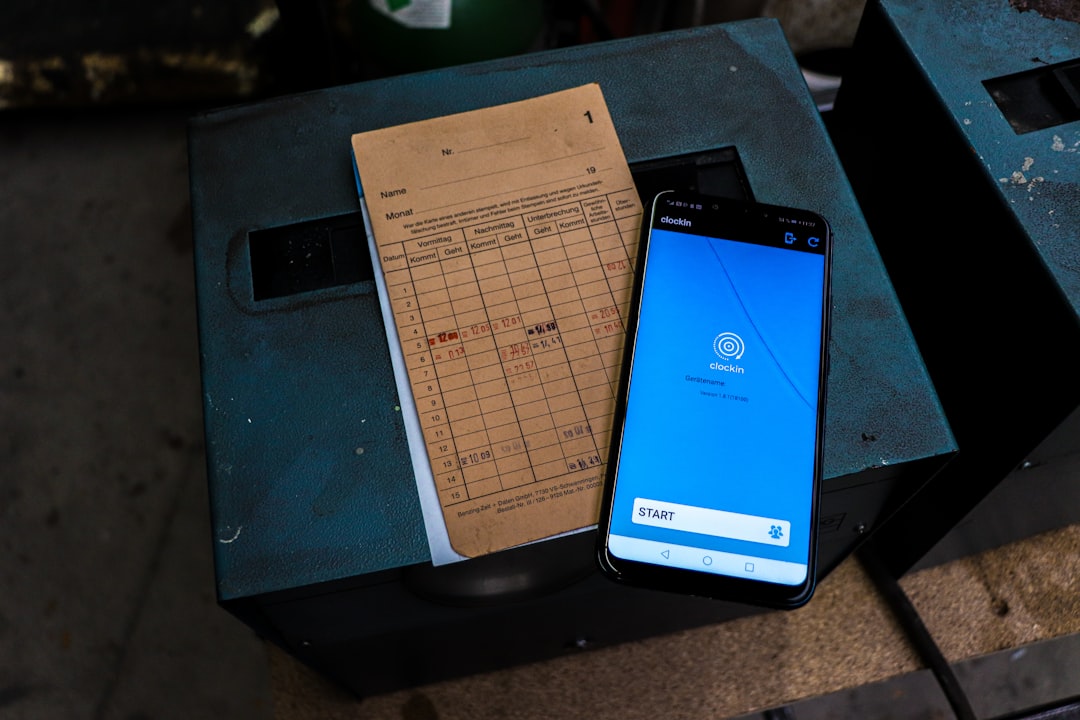
The make tax digital software market inherited its product logic from a world where tax was annual and accountants were the primary users. That legacy shaped the feature sets, the pricing, the category vocabulary, and the UX assumptions of most products currently on HMRC's recognition list.
A typical software suite aimed at small businesses will do an excellent job at job three (submission) and a reasonable job at job one (record storage), but handle job two (categorisation for sole traders) with a one-size-fits-all dropdown designed for limited company bookkeeping, not self-employment.
The consequence is invisible at the point of filing. You submit on time, you get your confirmation number, HMRC's systems accept the return. But if your motor expenses were filed under general administrative expenses because the dropdown was ambiguous, the underlying tax position may differ from what it should be. HMRC does not flag this at submission time. It surfaces later, if at all, during an enquiry.
This is not a small-print technicality. Motor expenses for a sole trader using a vehicle for work include fuel, insurance, servicing, and a proportion of personal use. Correctly categorised, they meaningfully reduce your taxable profit. Bundled into general expenses because the software made it easier to do so, the profit reduction is the same. But if HMRC ever examines the return, the mismatch between the category and the actual expenditure becomes a question you need to answer. [The evidence dimension of your accounts](/ blog/your-sole-trader-accounts-are-evidence-treat-them-that-way) grows in importance as HMRC increases automated cross-referencing of submitted data.
The Quarterly Mindset Problem

There is a subtler failure sitting beneath all three jobs. Most MTD software was built, tested, and priced for a once-a-year tax event. Developers added quarterly submission as a feature update, not as a new operating model.
In practice: the software may technically send quarterly submissions, but the dashboard, the categorisation interface, the receipt capture flow, and the reporting are all organised around the assumption that you will reconcile everything in one batch at year end and then file. The quarterly submission button exists, but the experience around it assumes you will use it five times a year as a minor administrative step rather than as the core rhythm of your tax life.
Software genuinely built for MTD ITSA looks different. The dashboard surfaces the current quarter, not the current financial year. Receipt capture is the primary action, not a secondary feature in a menu. Categorisation happens at the point of capture, not at the point of submission. The quarterly summary is a confirmation of work already done, not a calculation exercise.
Whether this rhythm suits your working pattern is worth testing before you commit to a subscription. The MTD ITSA calendar does not flex around your preferred tax-admin schedule.
A Practical Test Before You Buy
Before signing up to any make tax digital software, run three short tests.
Test one: Receipt capture on a phone. Download the app. Find a receipt. Photograph it. How long does it take to appear as a categorised transaction? If the answer is "you cannot do this in the app" or "you upload a CSV later," the software does not handle job one the way MTD ITSA expects.
Test two: The motor expenses category. Find the expense categories. Look for motor expenses specifically. Is it clearly labelled and separate from general travel? Is there guidance on what it includes, covering both fuel and mileage? If the category is labelled "Motor and travel" and buried under "Office costs," the categorisation logic was not designed for a sole trader who uses a vehicle for work.
Test three: The authorisation handshake. Try to authorise the software against a test or sandbox HMRC connection. How many steps does it require? Does it explain clearly what it is doing at each stage? If the authorisation process is opaque in a test environment, it will be worse in April 2026 with a submission deadline and a half-finished quarterly record in play.
None of these tests takes more than fifteen minutes. All three reveal more about how software was built than any comparison table or feature checklist. The paid rankings list products that pass this test; what they cannot tell you is whether the product was designed around your working pattern or adapted to it.
What Good Make Tax Digital Software Actually Looks Like

Software that handles all three jobs well has a recognisable shape: a mobile-first receipt capture interface that populates records automatically; a plain-English expense category list with examples drawn from real sole trader trades; and a quarterly submission flow that takes under five minutes once records are current.
It also has a dashboard oriented around the current quarter, not the current financial year. This sounds like a design detail. It reflects a fundamental product decision about whether the software was built for the MTD cadence or retrofitted to it.
For sole traders turning over between £50,000 and £80,000, the difference between software built for your situation and software adapted from a larger product is most visible in two places: the time you spend on admin each week, and the accuracy of your expense categorisation across a full tax year. Neither shows up in a screenshot. Both show up in your tax bill.
People also ask
Do I need specific make tax digital software or can I use a spreadsheet?
From April 2026, HMRC requires sole traders with income over £50,000 to use MTD-compatible software for both digital record-keeping and quarterly submission. Spreadsheets alone are not compliant. A bridging tool that reads spreadsheet data and submits it to HMRC is one workaround, but HMRC's long-term policy on bridging software for Income Tax is not confirmed.
How much does make tax digital software typically cost for a sole trader?
Prices range from around £8 per month for basic sole trader apps to over £30 per month for full accounting suites. Some providers offer introductory rates and raise prices significantly in year two, so check the standard ongoing rate before signing up.
What happens if I use MTD software that is not on HMRC's approved list?
Quarterly submissions made through non-recognised software will not be accepted by HMRC's systems. You would be treated as having missed the submission deadline, which can result in penalty points and eventual financial penalties.
When does MTD for Income Tax become mandatory for sole traders?
From 6 April 2026 for sole traders and landlords with qualifying income over £50,000. The threshold falls to £30,000 from April 2027 and £20,000 from April 2028.
File your MTD quarterly updates in minutes
TapTax imports your bank statements, categorises expenses automatically, and submits to HMRC with a tap. Free plan, no card required.
Start freeFrequently asked questions
What is the difference between MTD software and MTD bridging software?
Full MTD software handles digital record-keeping, categorisation, and quarterly submission in one product. Bridging software only handles the submission step, reading data from a spreadsheet or separate records system and transmitting it to HMRC. Bridging software for MTD ITSA (Income Tax) is less established than the VAT equivalent, and HMRC has not confirmed it will remain a long-term compliance route.
Can I switch make tax digital software mid-year without losing my submission history?
You can switch providers at any point, but your quarterly submission history is held by HMRC, not by the software. The risk in switching mid-year is data continuity: your transaction records and categories from the first part of the year sit in one system, and continuing the year in a new system requires exporting and importing that data accurately. Check the export format (CSV, Open Financial Exchange) before you commit to a product.
Does make tax digital software need to connect to my bank account?
No. Bank feed integration (open banking) is a convenience feature, not a legal requirement under MTD. It automatically imports transactions from your bank, reducing manual entry. The legal requirement is that records are kept digitally; how they get into the system is your choice. Manual entry, bank feeds, and receipt scanning are all compliant methods.
Is there MTD software that works without a reliable internet connection?
Most MTD software requires an internet connection to sync records and submit to HMRC. Some apps offer offline receipt capture that syncs when a connection is restored, which is useful for tradespeople working on sites with poor signal. The quarterly submission itself always requires connectivity, since it is a live API call to HMRC.
What expense categories does HMRC require sole traders to use for MTD ITSA submissions?
HMRC's MTD ITSA expense categories include: cost of goods, wages and staff costs, premises costs, repairs and maintenance, general administrative expenses, motor expenses, travel costs, professional fees, depreciation and loss or profit on sale of assets, and other business expenses. These map to HMRC's self-employment supplementary pages and should match the categories your MTD software uses.