
On this page6 sections
Five minutes after finishing a job, the receipt for those materials is either in your records or it is gone. Most accounting software rankings are written by people who never tested this in a car park, which is exactly why those rankings keep getting the answer wrong.
The question "what is the best accounting software for self-employed people?" sounds simple. HMRC does not care how you answer it, but it does care that by April 2026, if you earn over £50,000 a year, every penny of income and every allowable expense must flow through software that can submit quarterly updates to HMRC under Making Tax Digital for Income Tax. The software that passes a feature checklist on a Tuesday afternoon desk review might fail comprehensively at 6pm on the same Tuesday, when you are in a van and you need to photograph a receipt before driving home.
This post applies a single, honest test to the accounting software options available to UK sole traders today: can you actually use it while you are working, and will it carry you through the MTD transition without a forced switch at the worst possible moment?
- Self-employed accounting software
- Digital tools that allow sole traders and freelancers to record income and expenses, produce invoices, calculate tax liability, and file returns with HMRC. From April 2026, MTD-compatible software must also submit quarterly updates directly to HMRC's systems under Making Tax Digital for Income Tax, a separate and more demanding requirement than annual self-assessment.
Why Every Ranking Gets This Question Wrong
Search for "best accounting software for self-employed" and you will find the same four or five products recycled in slightly different order. QuickBooks. Xero. FreeAgent. Sage. Each review scores them on the same categories: invoice customisation, bank reconciliation, reporting depth, integration ecosystem. These are legitimate features. They are also features that most tradespeople use approximately four times a year, on a laptop, after everything else is done.
What those reviews rarely test:
- How long does it take to photograph and categorise a receipt from the mobile app?
- Does the mileage tracker run automatically in the background without draining the battery?
- Can you raise an invoice from the car while your customer is standing there?
- Does it work offline, or does it need signal to save anything at all?
- Will it submit a quarterly MTD update directly to HMRC, or do you need a separate bridging tool?
For a plumber turning over £65,000 a year and driving to six jobs a day, questions two, three, and four are the entire value proposition. The invoice template library is irrelevant. The problem is that most software is reviewed by writers who work in offices, testing tools on broadband connections, comparing menus at leisure. The tradesperson's use case, capturing a receipt in a cold driveway before the next job, is not in the review brief.
5.5m
self-employed people in the UK, most working away from a fixed desk
April 2026
when MTD for Income Tax begins for sole traders earning over £50,000 a year
£5,750
potential mileage deduction for a tradesperson driving 15,000 business miles annually
The Five Criteria That Actually Matter
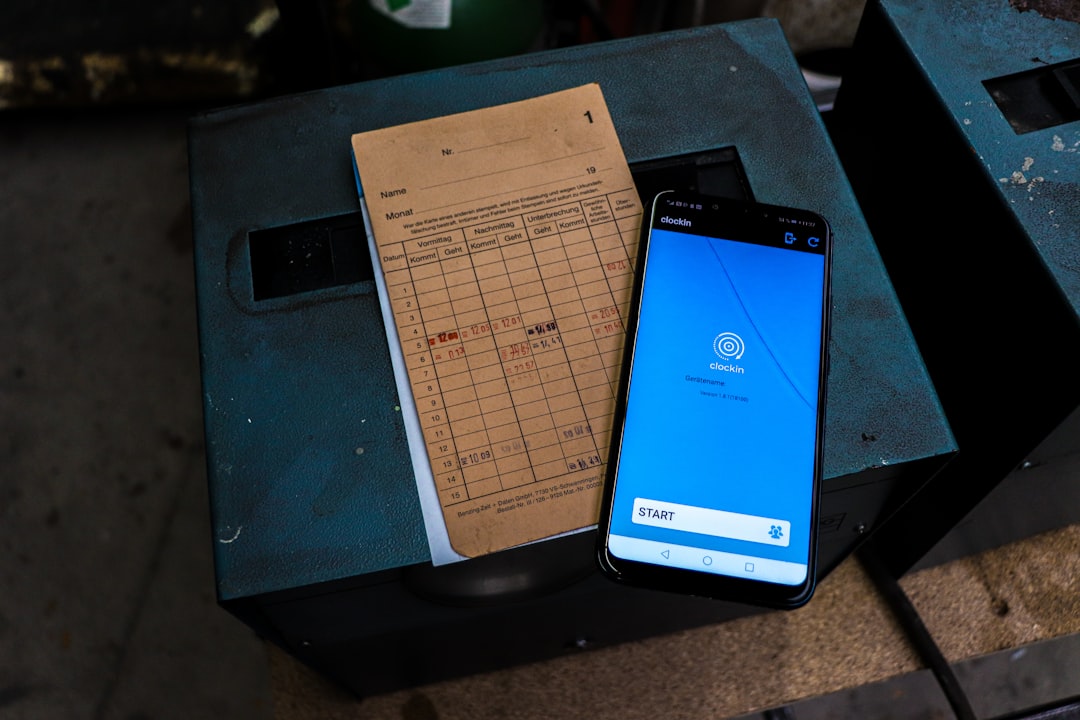
Applying the mobile test means scoring software against five practical criteria, not the feature lists that populate most review sites.
1. Receipt Capture That Works in Under 30 Seconds
The industry standard claim is "photograph your receipt with our app." The reality varies enormously. Some apps require you to open the app, navigate to expenses, tap the camera icon, photograph, wait for the OCR to process, correct the errors, and confirm. That is 45 seconds in ideal conditions and two minutes if the app has refreshed in the background or the OCR has misread the supplier name.
The threshold is 30 seconds, door to done, in reasonable light. Software that cannot meet this threshold will not be used consistently by someone on the move. Inconsistent use means missing expenses, which means overpaying tax. This is not a minor usability quibble; for a sole trader capturing twelve receipts a day, it compounds into real money by the end of the year.
2. Mileage Tracking That Runs Itself
Self-employed tradespeople are among the highest mileage claimers in the sole trader population. At the MTD-compatible mileage rate of 45p per mile for the first 10,000 miles, a tradesperson doing 15,000 business miles a year is sitting on a £5,750 deduction. Manual mileage logs are both unreliable and awkward under HMRC scrutiny. GPS-based automatic tracking is the only practical solution for anyone who drives regularly between jobs.
The test is simple: does the mileage tracker start automatically when you start driving, allow you to categorise trips as business or personal with one tap, and require no other manual input? If it requires manual start and stop, trips will be missed. If it drains the battery noticeably, it will be turned off.
3. Quick Invoicing in Under Two Minutes
Raising an invoice in front of a customer closes jobs faster and reduces the payment chase. Software that makes you dig through menus to find a stored customer, select a line item, adjust the amount, and send via email is not solving the right problem. The test is simple: from the app home screen to a sent invoice, how many taps and how many seconds? Any answer over two minutes fails.
4. Offline Capability for Low-Signal Environments
Construction sites, rural properties, multi-storey car parks, basement flats. Self-employed people routinely work in locations where mobile signal is unreliable or absent entirely. If the accounting app requires an active internet connection to save a receipt or record a payment, it will fail exactly when you need it most. Offline-first architecture, with sync when signal returns, is a genuine differentiator that almost no review site mentions, because reviewers test on broadband.
5. MTD Quarterly Submission Without Bridging Software
This is the criterion that matters from April 2026. The MTD for Income Tax mandate requires quarterly updates to HMRC, four times a year, plus a final declaration replacing the traditional self-assessment return. Software that only handles annual self-assessment is not enough. Software that handles quarterly updates but requires a separate bridging tool to submit them adds cost, complexity, and another point of failure.
The question for every software decision made today is: does this product submit quarterly MTD updates directly to HMRC? Not "is it on the HMRC compatibility list for VAT?" MTD for Income Tax is a separate system with separate requirements. See HMRC Has Two Compatibility Lists. Is Your Software on Both? for why this distinction regularly catches people out.
How the Main Options Perform in the Field

QuickBooks Self-Employed scores reasonably well on mileage tracking, which starts automatically via the app. Receipt capture is functional but the mobile app has a reputation for logging users out between sessions, adding friction that breaks the 30-second threshold. Quarterly MTD updates for Income Tax are supported. Pricing starts around £8 to £10 per month after introductory offers but rises to £25 or more for the fuller self-employed plan. It is a capable product built for freelancers and consultants; for tradespeople who need frictionless mobile capture above all, the session dropout issue is a real cost.
FreeAgent is popular with freelancers and accountants who use it for client management. The desktop experience is genuinely strong. The mobile app is less polished; mileage tracking requires manual input, which means missed trips for anyone juggling calls between jobs. Receipt capture works but is slower than the mobile-first alternatives. MTD quarterly submission is supported. Pricing is around £9.50 to £19 per month, and it is offered free to NatWest and Royal Bank of Scotland business current account holders, which changes the calculation entirely if you already bank with either. See Best Accounting Software for Sole Traders: The Paid Rankings for a more granular cost comparison.
Xero is built primarily for businesses with employees, multiple bank accounts, and complex reporting requirements. For a sole trader, you are buying a system designed for a company director and paying accordingly, at £16 to £47 per month depending on the plan. The mobile app has improved in recent years but the product architecture still reflects its origins in desktop bookkeeping. The mobile test reveals this quickly: invoicing and expense capture both require more navigation than mobile-first competitors. If your accountant recommends Xero, ask whether the recommendation is in your interest or in the interest of their practice management integration.
Sage Accounting is well-regarded in accountant circles, partly because of its payroll and practice management integrations. Neither reason directly benefits the sole trader. The mobile app handles invoicing but is limited for field-based expense capture, and first-time configuration for MTD quarterly submission is not straightforward without guidance. For a tradesperson who wants to set up the software once and have it work reliably on a phone, Sage carries more overhead than the use case requires.
TapTax is designed specifically for UK sole traders working through MTD. The product is mobile-first by architecture, which means receipt capture and mileage logging are primary features rather than bolt-ons to a desktop system. Quarterly MTD submissions are built into the core product. For tradespeople whose working day is entirely away from a desk, the distinction between software designed for sole traders and software adapted for sole traders becomes practical immediately.
The pattern across all of these is consistent: software designed for small businesses with employees and then adjusted for sole traders carries that original complexity as dead weight. The features that matter for your use case are buried beneath features designed for someone with a payroll. Software built for sole traders from the start, and specifically for the MTD quarterly workflow, tends to pass the mobile test more reliably.
The MTD Deadline Changes Every Software Decision Made Today
If you earn between £30,000 and £50,000, the MTD for Income Tax mandate reaches you in April 2027. If you earn over £50,000, it reaches you in April 2026, which is not far off.
The software choice you make today is not just a choice about current tax admin. It is a choice about which platform will handle five HMRC interactions per year, every year, going forward. Choosing software optimised for annual self-assessment and then switching under deadline pressure is one of the more avoidable costs in the MTD transition. The Accounting Software for Making Tax Digital: The Annual Trap sets this out in detail.
The secondary question is what your accountant thinks about your choice. Many accountants have preferred integrations, and as explored in Sole Trader Accounting Software UK: Who Pays Your Accountant?, the recommendation is not always purely in your interest. If your accountant recommends software primarily because it integrates neatly with their practice management system, that is useful information, but it is not the same as the software passing the mobile test for someone working from a van.
For anyone already using software that handles annual self-assessment, the additional question is whether your existing product has a credible MTD for Income Tax roadmap or whether it is being maintained only for the current self-assessment cycle. Self Assessment Software Has an Expiry Date. When Is Yours? covers the specific questions to ask.
People also ask
What accounting software do self-employed people need for MTD?
For MTD for Income Tax, you need software that submits quarterly updates directly to HMRC, not just annual self-assessment returns. The mandate applies from April 2026 for sole traders earning over £50,000 and from April 2027 for those earning over £30,000. The relevant HMRC compatibility list for MTD for Income Tax is separate from the VAT compatibility list, and not all products appear on both.
Is QuickBooks good for self-employed tradespeople in the UK?
QuickBooks Self-Employed offers automatic mileage tracking and MTD quarterly submission support, which are the two most important features for tradespeople. The main complaint is that the mobile app sometimes requires re-login between sessions, adding friction to quick receipt capture in the field. It is priced around £8 to £10 per month after introductory offers, rising for more comprehensive plans.
Can I use free accounting software as a self-employed sole trader?
Free software options exist but most cover either annual self-assessment or MTD for VAT, not the quarterly income tax updates required under MTD for Income Tax from April 2026. FreeAgent is free for NatWest and Royal Bank of Scotland business account holders, which is a genuine exception worth investigating. Most other free tools will require an upgrade or a paid bridging product before the MTD for Income Tax deadline.
How do I switch accounting software without losing my records?
Most accounting software allows data export in CSV or XML format, but categorised transactions and bank reconciliation work do not migrate cleanly between platforms. Switching at the start of a new tax year in April is significantly less disruptive than switching mid-year. If you are switching to meet the MTD for Income Tax deadline, start the new system in parallel for at least one quarter before fully migrating.
Matching Software to How You Actually Work

The best accounting software for self-employed people is not a single product. It is the intersection of three variables: how mobile your work is, what you earn, and whether you use an accountant.
If you work primarily from a desk (consultant, copywriter, designer) and invoice a small number of clients per month: the mobile test matters less, and product depth on invoicing and project tracking matters more. FreeAgent or QuickBooks Self-Employed will serve you well, with FreeAgent particularly strong if you bank with NatWest or RBS.
If you work on the move (plumber, electrician, painter, handyman, delivery driver): the mobile test is the whole decision. Prioritise automatic mileage tracking, fast receipt capture, and offline capability over desktop features you will never use. Check MTD for Income Tax compatibility explicitly before committing.
If you earn under £30,000: the April 2026 and 2027 MTD deadlines are not yet your immediate concern, but the software habit you build now is. Choose something you will use consistently rather than something with more features than you need. See Free Self Assessment Software UK: The £50,000 Divide for a breakdown of free options by income bracket.
If you earn over £50,000: April 2026 is your deadline. You need MTD-ready software running today, building the quarterly submission habit before it becomes mandatory. The more mobile your work, the more the criteria above should dominate your decision.
The trap most sole traders fall into is choosing software based on the feature list rather than the working day. A ranking that accurately reflects the best product for a home-based freelancer will actively mislead a tradesperson who captures forty receipts a week on the road. Read the reviews, but apply the mobile test before you subscribe.
The right question is not which software has the best dashboard. It is: which one will you actually use, consistently, including on the days when you are cold, running late, and standing in someone's driveway with two minutes before your next job?
That is the mobile test. Pass it, and the quarterly MTD submissions will follow naturally.
File your MTD quarterly updates in minutes
TapTax imports your bank statements, categorises expenses automatically, and submits to HMRC with a tap. Free plan, no card required.
Start freeFrequently asked questions
Does self-employed accounting software need to handle VAT as well as income tax?
Not necessarily. If your turnover is below the £90,000 VAT registration threshold, you only need software that handles income and expenses for self-assessment or MTD for Income Tax. If you are VAT-registered, you need software that handles both MTD for VAT and, from April 2026 or 2027 depending on your income, MTD for Income Tax. These are separate HMRC systems and not all software handles both reliably.
What is the difference between MTD for VAT software and MTD for Income Tax software?
MTD for VAT has been mandatory since 2019 and requires quarterly VAT returns submitted digitally. MTD for Income Tax is a newer, separate mandate starting April 2026 for sole traders earning over £50,000, requiring quarterly income and expense updates plus a final declaration. A product on the HMRC compatibility list for MTD for VAT is not automatically approved for MTD for Income Tax; they are different lists with different technical requirements.
Can a sole trader use the same accounting software as a limited company?
Technically yes, but it is rarely the right choice. Software designed for limited companies includes payroll, Corporation Tax, and Companies House filing tools that a sole trader will never use and is effectively paying for. Sole-trader-specific software is cheaper, simpler to set up, and increasingly built around the MTD for Income Tax workflow that sole traders must follow from April 2026 onwards.