
On this page10 sections
Most self employed accounting software was designed for small businesses with staff, invoicing departments, and a spare afternoon every week. You have none of those things. So why are you paying as if you do?
- Self Employed Accounting Software
- Digital tools that help sole traders and self-employed individuals record income and expenses, generate invoices, and (where MTD-compatible) submit quarterly updates to HMRC. Not all accounting software is approved for Making Tax Digital for Income Tax.
The Feature Inflation Problem Nobody Talks About
Open the pricing page of any major UK accounting software and you will find tiers with names like Starter, Standard, and Premium. Each tier unlocks more features. The implication is that more features mean more value. For a sole trader running a one-person plumbing business or a freelance copywriter working from a spare bedroom, that implication is almost always wrong.
QuickBooks Self-Employed, Xero, FreeAgent, and Sage all offer products that technically serve the self-employed market. But examine what you get: bank reconciliation for multiple accounts, payroll for employees, multi-currency invoicing, project profitability tracking, stock management. These are features built for small limited companies, not for a sole trader who invoices fifteen clients and claims mileage.
The result is that UK sole traders are collectively subsidising software development they will never benefit from. If you are earning £60,000 a year as a self-employed electrician, you might be paying anywhere from £12 to £35 a month for accounting software. At the upper end, that is £420 a year. A significant chunk of that pays for payroll functionality you cannot use because you have no employees.
£420
potential annual cost of premium accounting software for a sole trader who only needs basic MTD compliance
April 2026
MTD for Income Tax mandatory start date for sole traders earning over £50,000
5
total HMRC submissions per year required under MTD: four quarterly updates plus one end-of-period statement
What Self Employed Accounting Software Actually Needs to Do

Strip away the noise and a sole trader needs their accounting software to do four things well. Everything else is optional.
Record income. Every payment you receive needs to be logged with a date, an amount, and ideally a category. That is it. You do not need double-entry bookkeeping. You do not need a profit and loss statement formatted for investor due diligence.
Record allowable expenses. HMRC lets sole traders deduct legitimate business costs from their taxable income. Your software needs to capture those costs, categorise them correctly, and keep the receipts somewhere HMRC can find them if they ever ask. A receipt scanner helps here, though as we explored in Receipt Scanner for MTD UK: Does It Actually Save Time?, the time savings depend heavily on how consistently you use it.
Submit quarterly updates to HMRC. From April 2026, sole traders earning above £50,000 must use MTD-compatible software to send four quarterly updates of income and expenses to HMRC, plus an end-of-period statement. This is not optional, and non-compatible software will leave you unable to comply. We covered the full picture of what those five submissions actually involve in Making Tax Digital for Income Tax: The Five Submission Problem.
Give you a tax estimate. A running calculation of roughly what you owe in Income Tax and National Insurance is genuinely useful. It stops the January panic when a bill appears that you have not budgeted for.
Notice what is not on that list: invoicing, bank feeds, payroll, stock control, or project tracking. Some of those may be useful to specific sole traders. But they should be opt-in extras, not bundled features inflating a mandatory monthly subscription.
The MTD Compliance Layer Changes Everything
Here is where self employed accounting software stops being a convenience and becomes a legal requirement. Making Tax Digital for Income Tax, which HMRC is rolling out from April 2026, requires that your record-keeping and quarterly submissions happen through HMRC-recognised software. Spreadsheets alone will not be sufficient unless they connect to a compliant bridging tool.
This is a significant shift. For years, sole traders could manage their tax affairs with a spreadsheet and an annual Self Assessment return. That option narrows considerably from April 2026. If your self-employment income exceeds £50,000, you are in the first mandatory wave. Those earning above £30,000 follow in April 2027, and HMRC has indicated that the threshold may eventually fall further.
What this means practically is that your choice of self employed accounting software is no longer just about convenience or cost. It is about whether the tool you use is actually approved to communicate with HMRC's MTD systems. Not every product on the market qualifies. HMRC maintains a list of compatible software, and it is worth checking before committing to any subscription.
For a deeper look at how software vendors have positioned themselves around MTD compliance, Making Tax Digital Accountant Software: Who Is It Really For? is worth reading before you make any purchasing decisions.
Why the Big Names Are Not Always the Right Answer
QuickBooks, Xero, and Sage dominate UK accounting software largely because of marketing budgets, not because they are the best fit for a sole trader earning £50,000 to £80,000. They were built for small businesses, scaled down for the self-employed market, and priced accordingly.
FreeAgent is a more interesting case. Originally built for freelancers, it has genuine roots in the self-employed market and handles MTD reasonably well. HMRC acquired FreeAgent's parent company NatWest in 2018, which creates an awkward dynamic: the software used to comply with HMRC's own rules is now effectively owned by a major bank with its own commercial interests. If you find that uncomfortable, you are not alone.
The more pointed version of this argument appeared in HMRC Free Accounting Software: Why It Does Not Exist, which explores why HMRC chose to mandate paid third-party software rather than build a free tool itself. The short answer involves lobbying, commercial interests, and a convenient arrangement that benefits software vendors at the expense of sole traders who have no real choice but to subscribe.
Matching Software to Your Actual Work Pattern

The most useful frame for choosing self employed accounting software is not which product has the best reviews, but which one matches how you actually work.
If you invoice clients regularly: You need software with a decent invoicing tool, or at minimum something that lets you import invoice data easily. But do not pay for a sophisticated invoicing suite if you send ten invoices a month to the same five clients.
If most of your income arrives in lumps: A plumber who receives cash and bank transfers, or a freelancer paid on 30-day terms, needs software that handles irregular income cleanly without forcing a rigid invoicing workflow.
If your expenses are mostly mileage and materials: A construction worker or handyman's tax return is dominated by vehicle costs and materials purchases. Software that makes mileage logging and receipt capture quick and painless is worth far more than multi-currency support. The Mileage Claim Calculator post covers the HMRC approved mileage rates in detail if you want to sense-check what you should be claiming.
If you have a straightforward business: One income stream, a manageable list of expense categories, no employees, no VAT registration. That describes most sole traders earning under £85,000. Software designed for this profile should cost less and do less, not replicate a full accounting suite.
People also ask
Do I legally need accounting software as a self employed person?
Not currently for Self Assessment, but from April 2026 sole traders earning over £50,000 must use HMRC-compatible software to comply with Making Tax Digital for Income Tax. After that date, non-compatible record-keeping will not be sufficient on its own.
What is the cheapest accounting software for the self employed in the UK?
Costs vary widely. Basic MTD-compatible apps can start from around £5 to £10 a month. Full accounting suites like QuickBooks or Xero typically cost £12 to £35 a month for sole trader plans. The cheapest option that covers your specific needs is the right answer, not the cheapest option overall.
Can I use a spreadsheet instead of accounting software?
For current Self Assessment, yes. From April 2026 under MTD for Income Tax, spreadsheets alone will not qualify unless linked to HMRC-compatible bridging software. Sole traders above the £50,000 threshold will need a fully compatible tool.
Is FreeAgent free for sole traders?
FreeAgent is free for personal customers of NatWest, Royal Bank of Scotland, and certain other banks. Otherwise it carries a monthly subscription fee. It is MTD-compatible, but being bank-owned means your data sits within a commercial banking group's infrastructure.
The Hidden Cost of Switching Later
One argument for committing to a decent piece of self employed accounting software now, rather than cobbling together a free or near-free solution, is the cost of switching when MTD becomes mandatory.
Migrating historical records from one accounting platform to another is rarely seamless. Export formats do not always match import requirements. Categories get scrambled. Bank transaction histories may not transfer at all. If you build two or three years of financial records in a system that turns out to be non-compliant with MTD, you face the unpleasant choice of running parallel systems or accepting a messy data migration at a busy time.
The MTD Software for Sole Traders: Switching Without the Chaos post covers this migration problem in detail. The core advice: switching is manageable if you do it at the start of a tax year with clean records. Switching mid-year, or under the pressure of an approaching compliance deadline, multiplies the difficulty considerably.
What Good Self Employed Accounting Software Looks Like in Practice
Imagine a self-employed electrician, Gary, turning over £72,000 a year. He works alone, has no employees, is VAT-registered (so he needs to handle VAT returns separately, but that is a different compliance stream), and his main expenses are van costs, materials, tools, and subcontractor payments for larger jobs.
Gary's accounting software needs to:
- Log income from around 150 jobs a year, some invoiced and some cash
- Capture and categorise fuel receipts, material invoices, and tool purchases
- Track mileage for the 18,000 business miles he drives annually
- Calculate his approximate tax liability on a rolling basis so he can budget for January
- Submit four quarterly MTD updates to HMRC from April 2026, plus the annual end-of-period statement
Gary does not need: payroll, project profitability reports, multi-currency invoicing, stock management, or a CRM integration. But if he buys Xero's standard plan, he gets all of those things and pays £28 a month for the privilege.
A purpose-built sole trader app that covers Gary's actual list would cost him less, demand less of his attention during setup, and create fewer opportunities for confusion when he opens the app after a busy week on site. The Making Tax Digital Software: Stop Paying for Features You'll Never Use post makes this case in more detail, but Gary's scenario illustrates the principle cleanly.
The Question Worth Asking Before You Subscribe
Before committing to any self employed accounting software, one question cuts through the marketing: does this product have a version designed specifically for sole traders with no employees, and is that version cheaper than the version designed for small businesses?
If the answer is no, the vendor does not really see you as a distinct customer. You are being sold a small business product with a sole trader label on it. That is not necessarily disqualifying, but it is a signal that you are paying for someone else's requirements.
If the answer is yes, ask what the sole trader version does not include compared to the business version, and check whether any of those missing features are things you actually need. Nine times out of ten, they will not be.
The Bottom Line on Self Employed Accounting Software
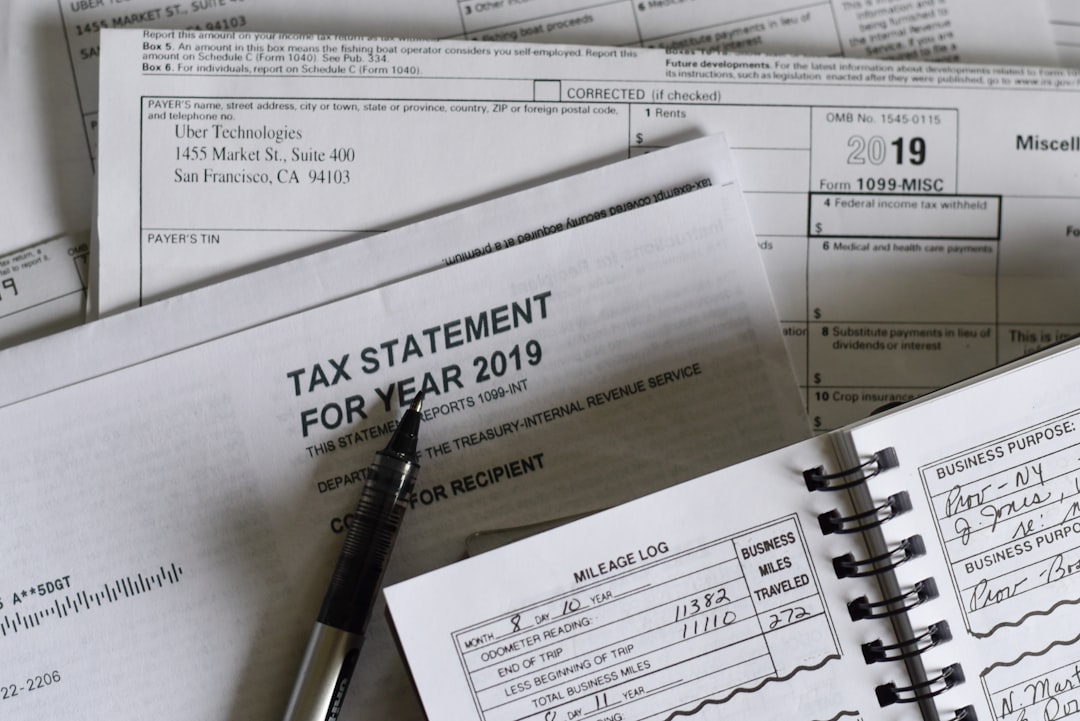
Self employed accounting software should solve a specific problem: keeping HMRC-compliant records with the minimum possible friction, at a price that reflects what a one-person business actually needs. From April 2026, MTD compliance makes this a non-negotiable requirement rather than a lifestyle choice.
The market is cluttered with products that charge sole traders for small business features they will never use. The answer is not to find the cheapest possible tool regardless of quality, but to find the tool that does exactly what you need and charges accordingly. For most sole traders earning £50,000 to £80,000, that means MTD-compatible income and expense recording, a running tax estimate, and a clean quarterly submission process. Everything else is a nice-to-have.
If you opened this post wondering why your accounting software costs what it does, now you know. The more useful question is whether you can get the same compliance outcome for less. For most sole traders, the answer is yes.
File your MTD quarterly updates in minutes
TapTax imports your bank statements, categorises expenses automatically, and submits to HMRC with a tap. Free plan, no card required.
Start freeFrequently asked questions
Does self employed accounting software need to be MTD compatible?
From April 2026, sole traders earning over £50,000 must use HMRC-recognised software to submit quarterly updates under Making Tax Digital for Income Tax. Software that is not on HMRC's approved list will not be sufficient for compliance after that date. Check HMRC's published list of compatible software before subscribing.
How much should a sole trader expect to pay for accounting software in the UK?
Costs range from around £5 a month for basic MTD-specific sole trader apps to £30 or more a month for full accounting suites like Xero or QuickBooks. Most sole traders without employees or VAT obligations will find that mid-range products include significant functionality they will never use, making purpose-built sole trader tools better value.
Can self employed people claim accounting software as a tax expense?
Yes. Software subscriptions used wholly for your business are an allowable expense under HMRC's rules for self-employed individuals. The cost is deducted from your trading profit before calculating your Income Tax liability, so a £120 annual subscription reduces your taxable income by £120.
Is there a difference between bookkeeping software and accounting software for sole traders?
In practical terms, most sole traders use both terms interchangeably to describe software that records income and expenses. True accounting software may include more advanced features like profit and loss statements or balance sheets, which sole traders rarely need. For MTD compliance, what matters is whether the software is HMRC-recognised for quarterly submissions, not the label the vendor uses.
What happens if I keep using a spreadsheet after MTD becomes mandatory?
Using a standalone spreadsheet will not meet MTD for Income Tax requirements unless it connects to HMRC's systems through a compatible bridging tool. Sole traders who fail to use compliant software after the mandatory start date risk penalties for non-compliance, separate from any penalties for late or inaccurate submissions.