
On this page9 sections
Most sole traders lose money not by earning less, but by forgetting to record what they spent. If you turned over £60,000 last year and missed £4,000 in legitimate business expenses, you handed HMRC roughly £1,600 extra in tax and National Insurance you did not owe.
That is not a rounding error. That is a new van service, three months of tools, or a fortnight's materials. And it happened because your expense tracker was either non-existent, or not fit for what HMRC now demands under Making Tax Digital.
- Digital Record-Keeping (MTD)
- Under Making Tax Digital for Income Tax, HMRC requires sole traders to maintain digital records of all business income and expenses. These records must be held in MTD-compatible software and used to generate quarterly updates submitted directly to HMRC. Paper records, even if later typed up, do not satisfy the requirement.
Why Your Current System Probably Fails the HMRC Test
Let's be blunt about what most sole traders actually do: invoices go into a folder (physical or digital), receipts accumulate in a glove box or a phone camera roll, and everything gets sorted in January when the Self Assessment deadline is three weeks away.
That system has one thing going for it: it works just well enough that HMRC has never pulled you up on it. Until now.
From April 2026, sole traders earning above £50,000 must comply with MTD for Income Tax. From April 2027, the threshold drops to £30,000. HMRC is not asking you to change how you think about expenses. It is asking you to change when and how you record them, and which tool you use to do it.
The specific requirement, set out in the Income Tax (Digital Requirements) Regulations 2021, is that business records must be kept in a "functional compatible software" product. That means software that can receive and store data digitally, perform calculations, and submit quarterly updates directly to HMRC's systems.
A spreadsheet you fill in manually once a year does not qualify. A folder of scanned PDFs does not qualify. An accounting package that cannot submit to HMRC's API does not qualify.
If you are already thinking about whether your current setup passes that test, the answer is almost certainly: not without changes.
£50,000
income threshold for MTD from April 2026
£30,000
income threshold from April 2027
5 submissions
required per tax year under MTD (4 quarterly + 1 final)
What a Compliant Sole Trader Expense Tracker Must Actually Do

HMRC does not publish a checklist titled "what your expense tracker must record." It publishes regulations, which are written in the kind of language that was apparently designed to make accountants feel useful. Here is what those regulations mean in practice.
The Four Fields HMRC Needs for Every Expense
For each business expense, your records must capture:
- The date the expense was incurred (not the date you got round to entering it)
- The amount paid
- Who you paid (the supplier or payee)
- The category of the expense, mapped to an HMRC allowable expense type
That fourth point trips people up. It is not enough to record that you spent £340 at a tool supplier. You need to categorise it correctly: is it a capital allowance (a tool you will use for several years) or a revenue expense (consumables used in the current period)? The distinction affects which figure goes on your quarterly update and your end-of-year declaration.
Miscategorising expenses is one of the most common mistakes in MTD quarterly updates, and it can trigger an HMRC compliance check even if your totals look broadly reasonable.
What About Receipts?
HMRC does not currently require you to attach a digital copy of every receipt to each transaction record. What it requires is that you can produce evidence of any expense if asked. In practice, that means you need a receipt storage system that is searchable and durable, even if it sits alongside rather than inside your expense tracker.
The automatic receipt scanning tools now built into most MTD apps vary wildly in accuracy. Some are genuinely useful; others introduce transcription errors that are worse than typing the figures yourself. The post linked above covers this in detail, but the short version is: always check the extracted figures against the original receipt before saving.
The Real Cost of Not Tracking Expenses Properly
Consider a self-employed electrician turning over £65,000 a year. After the personal allowance of £12,570, she is paying Income Tax at 20% on income up to £50,270 and 40% on income above that. She also pays Class 4 National Insurance at 6% on profits between £12,570 and £50,270, and 2% above.
Suppose she regularly forgets to claim:
- Protective equipment and workwear: £600 a year
- Tool replacements and small equipment: £900 a year
- Business mileage (tracked inconsistently): £1,200 a year (see the mileage allowance calculator for self-employed to check what you are owed)
- Phone and broadband (business proportion): £480 a year
- Trade subscriptions and CPD: £320 a year
Total unclaimed: £3,500.
At her marginal rate, the tax cost of those missing claims is approximately:
- Income Tax at 40% on the portion above £50,270: around £600
- Income Tax at 20% on the remainder: around £350
- Class 4 NI at 6%: around £100
Conservatively, she is overpaying HMRC by roughly £1,050 every year. Over five years, that is £5,250. Over a working lifetime, it is a significant fraction of a pension pot, handed to HMRC because her expense tracker was a folder on her phone and a vague intention to sort it out in January.
£3,500
typical unclaimed expenses for a sole trader earning £65,000
~£1,050
estimated annual tax overpaid as a result
£5,250
five-year cost of not tracking expenses properly
Free vs. Paid Expense Trackers: What the Fine Print Actually Says
There are dozens of apps that describe themselves as "free expense trackers for sole traders." Most of them are free in the same way a gym is free for the first month: perfectly functional until you need the features that actually matter.
The specific features that determine MTD compliance are almost universally locked behind paid tiers:
HMRC API connection: Submitting quarterly updates directly to HMRC requires software to connect to HMRC's Making Tax Digital API. Free tiers of most apps do not include this. You can track expenses for free, but you cannot submit from the same app without upgrading.
Unlimited transactions: Several popular apps cap the number of transactions per month on free plans. A busy sole trader can easily exceed these limits in a single week during a busy period.
Multiple income streams: If you have more than one trade, or trade income plus property income, free plans rarely handle both correctly under MTD rules.
Bank feed integration: Connecting your business bank account so transactions import automatically is a paid feature on most platforms. Without it, you are entering every transaction manually, which takes time and introduces errors.
This matters because HMRC's decision to mandate paid third-party software rather than build a free government tool has shifted a compliance cost directly onto sole traders. HMRC's own "free" filing options for MTD are limited to a basic bridging tool that requires you to maintain your own spreadsheet in a specific format. That is technically compliant but practically cumbersome.
For a deeper look at who profits from this arrangement, the AI Tax Software for Sole Traders: Hype vs. Reality post examines the software market's incentives in more detail.
The HMRC Expense Categories Sole Traders Get Wrong Most Often
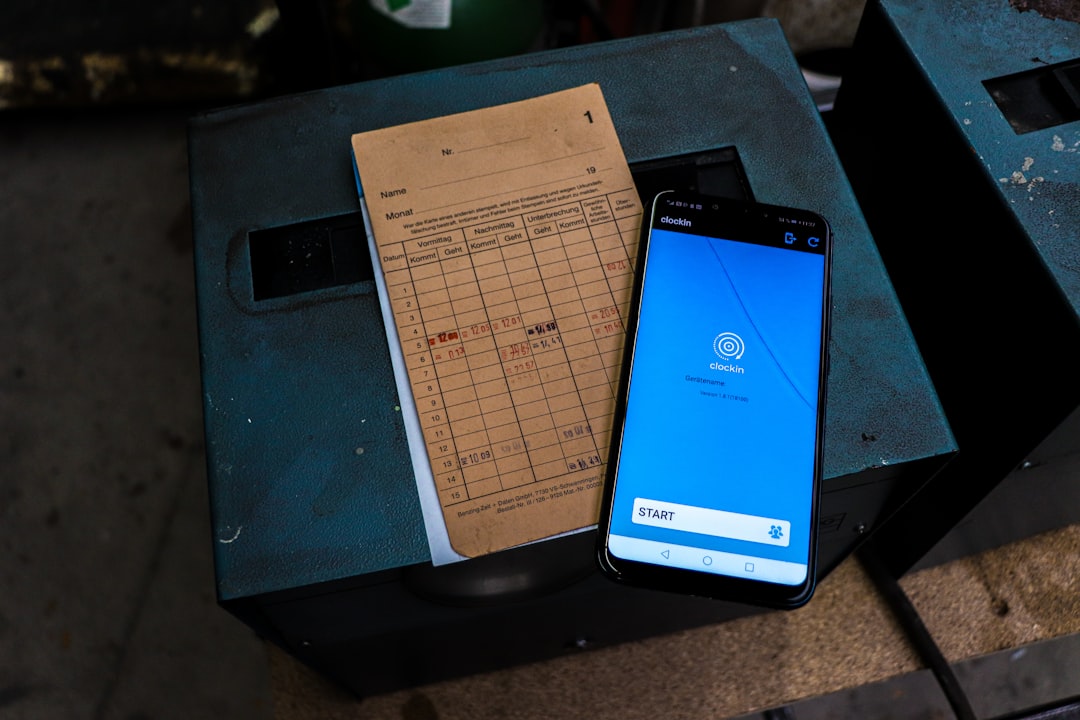
Every sole trader who has filed Self Assessment has encountered HMRC's list of allowable business expenses. Most have also misread at least one category. Here are the most common categorisation errors, and why they matter more under MTD.
"Use of Home as Office" Is Not a Simple Calculation
If you work from home, you can claim a proportion of household costs as a business expense. But HMRC offers two methods: the flat rate (£10-£26 per month depending on hours worked) and the actual costs method (calculating the genuine business proportion of bills). Choosing the wrong one, or mixing both in different quarters, creates an inconsistency that flags during HMRC's automated checks.
The Remote Worker Sole Trader Tax Return: The Home Office Trap covers this in detail, but the key point for expense tracking is: decide your method at the start of the tax year and apply it consistently across all four quarters.
Capital vs. Revenue Expenditure
This distinction confuses even experienced sole traders. A new drill costing £200 is a revenue expense (claim it immediately, in full). A new van costing £14,000 is a capital purchase (claim via capital allowances, potentially the Annual Investment Allowance). The treatment on your quarterly update and end-of-year declaration is completely different.
Entering a capital purchase in the wrong expense category on your tracker does not just produce a wrong number; it produces the wrong type of number, in a different section of your return. MTD software should flag this, but many apps at the lower price points do not.
Subcontractors and the CIS Complication
If you work in construction and pay subcontractors under the Construction Industry Scheme, the CIS deductions you make need to be recorded separately from ordinary business expenses. Lumping them together is one of the most common errors in MTD for construction workers, and it can generate a significant discrepancy between your submitted figures and HMRC's own CIS records.
People also ask
Does HMRC require receipts for every expense as a sole trader?
HMRC does not require you to attach receipts to every transaction in your digital records, but you must be able to produce evidence of any expense if asked during a compliance check. In practice, this means keeping receipts (physical or digital) for at least five years after the relevant tax year.
Can I use a spreadsheet as an expense tracker for MTD?
A standard spreadsheet does not meet MTD requirements on its own. Under MTD for Income Tax, your records must be held in functional compatible software that can submit quarterly updates directly to HMRC's systems. You can use a spreadsheet combined with HMRC-approved bridging software, but this approach is more cumbersome than using a dedicated MTD app.
What expenses can a sole trader claim against tax in the UK?
HMRC allows sole traders to claim any expense that is wholly and exclusively for the purpose of the business. Common categories include tools and equipment, materials, vehicle costs (or mileage allowance), use of home as office, business insurance, professional fees, and marketing costs. Capital purchases such as vehicles and major equipment are handled separately through capital allowances.
When do sole traders need to comply with MTD expense tracking rules?
Sole traders with annual income above £50,000 must comply with MTD for Income Tax from April 2026. Those earning above £30,000 follow in April 2027. Both groups will need MTD-compatible software for expense tracking and quarterly submissions. If your income is below these thresholds, current Self Assessment rules still apply.
Choosing an Expense Tracker That Will Still Work in April 2026
With the MTD deadline for higher-earning sole traders less than two years away, picking an expense tracker is not just about convenience now. It is about avoiding the cost of switching platforms later, re-entering historical records, and learning a new system under pressure.
The questions to ask before committing to any app:
Is it on HMRC's list of MTD-compatible software? HMRC publishes a list of software products that have been tested against the MTD for Income Tax API. If the product you are considering is not on that list, do not assume it will be added in time.
Does it handle your specific trade's expense patterns? A photographer's expenses look different from a plumber's. Apps built for generic small businesses sometimes force awkward workarounds for trade-specific costs like materials, subcontractors, or equipment depreciation.
What does the pricing look like at the tier you actually need? Calculate the annual cost of the paid tier, not the free trial. For most sole traders, a compliant MTD app costs between £12 and £30 per month. That is £144-£360 per year; a real business cost, but a fraction of the tax you would overpay by not tracking expenses at all.
Can you import historical data? If you switch apps mid-year or mid-quarter, can you bring your existing records with you? Losing three months of expense data and re-entering it is a painful way to spend a Sunday.
Building the Habit: Recording Expenses When They Happen
The most technically compliant expense tracker in the world saves you nothing if you use it once a fortnight. The entire advantage of a digital system is that it captures expenses at the point they occur, so you are not reconstructing your spending from memory and bank statements in January.
The minimum viable habit for a sole trader is:
- At the point of purchase: photograph the receipt using your app's scanner, or enter the transaction manually if you are buying online
- At the end of each week: spend ten minutes reviewing that week's bank transactions against your app records, and categorise anything imported automatically that needs checking
- At the end of each quarter: review the quarter's totals before your MTD submission, check for obvious anomalies (a month with suspiciously low materials spend, for example), and submit
That is roughly 45 minutes per quarter on top of the weekly review. Compare that with the January panic of trying to reconstruct twelve months of spending in a few days, and the habit starts to look attractive.
If you are not yet sure whether you will need to comply with MTD from April 2026, the Freelancer Self Assessment 2026: The Last Year of Annual Filing post explains the transition timeline in plain terms.
The Bottom Line on Expense Tracking and Your Tax Bill

We started with a number: £1,600 in unnecessary tax paid because £4,000 of legitimate expenses went unrecorded. That figure is not hypothetical. It reflects what happens when sole traders treat expense tracking as an afterthought rather than a weekly habit.
HMRC is not changing the rules because it wants to make your life harder. It is changing them because manual, once-a-year filing produces errors that cost the Treasury money. The side effect is that compliance now requires a tool, a habit, and a modest ongoing cost.
The upside, which HMRC is less eager to advertise, is that sole traders who track expenses properly and consistently tend to claim significantly more than those who do not. The discipline of recording everything reveals expenses you would otherwise forget. It is not unusual for a tradesperson who switches from a shoebox to a proper expense tracker to find an extra £2,000-£3,000 in legitimate claims in their first year of doing it properly.
Your expense tracker is not a compliance burden. It is the mechanism by which you stop giving HMRC money you do not owe.
File your MTD quarterly updates in minutes
TapTax imports your bank statements, categorises expenses automatically, and submits to HMRC with a tap. Free plan, no card required.
Start freeFrequently asked questions
How long must a sole trader keep expense records for HMRC?
HMRC requires sole traders to keep business records for at least five years after the 31 January submission deadline for the relevant tax year. For example, records for the 2024-25 tax year must be kept until at least 31 January 2031. Under MTD, these records must be held in digital form within compatible software.
What counts as a business expense for a sole trader under HMRC rules?
HMRC allows any expense that is wholly and exclusively incurred for the purpose of the trade. This includes tools, materials, vehicle running costs or mileage allowance, business insurance, professional fees, marketing, and a proportion of home costs if you work from home. Personal expenses, even if partly work-related, are generally not allowable unless a clear business proportion can be identified.
Do I need a separate business bank account to use an expense tracker for MTD?
HMRC does not legally require sole traders to hold a separate business bank account, but it is strongly recommended for MTD compliance. Without one, bank feed integrations in expense tracking apps will import personal transactions alongside business ones, requiring manual sorting. A dedicated business account makes automated expense tracking significantly more accurate and less time-consuming.
Can I claim the cost of my MTD expense tracking software as a business expense?
Yes. The subscription cost of MTD-compatible accounting or expense tracking software is an allowable business expense under HMRC's rules for software and professional fees. Record it in your app under 'accountancy, legal and other professional fees' or a similar category, and keep the payment receipts as supporting evidence.
What happens if my expense records are not MTD-compliant when the deadline arrives?
If you are required to comply with MTD for Income Tax but fail to maintain digital records or submit quarterly updates, HMRC can issue penalties under the MTD penalty points system. Each missed quarterly submission earns one penalty point, and at four points the financial penalty begins at £200. Persistent non-compliance can also trigger a compliance check into the accuracy of your records.